
Fractional Representation Self-Study Exercise 2
Loading the math board and drawing, please wait…
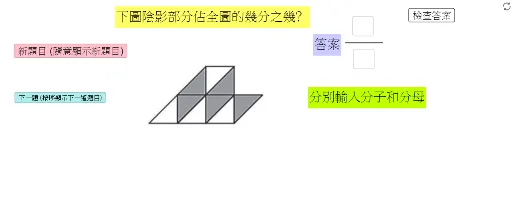
This example demonstrates how to perform geometric transformations and symmetry analysis using fractional representations. The core math concepts involved include right triangles, geometric transformations, symmetry, and hypothesis testing. Construction highlights the use of GeoGebra commands and objects like Random, If, Segment, Textfield, and specific objects such as ClickQRandom, FracPicQNext, TotalNumPic, etc., making it suitable for high school students learning geometric transformations and probability & statistics.
GeoGebra Commands & Parameters
Random(1, TotalNumPic) → FracPicQRandomIf(ClickQRandom, FracPicQRandom, FracPicQNext) → FracPicSegment(FracLinePt1, FracLinePt2) → FracLineIf(FracPic ≟ 1 ∧ AnsFrac ≟ 5 / 9 ∨ FracPic ≟ 2 ∧ AnsFrac ≟ 5 / 7 ∨ FracPic ≟ 3 ∧ AnsFrac ≟ 5 / 6 ∨ FracPic ≟ 4 ∧ AnsFrac ≟ 5 / 8 ∨ FracPic ≟ 5 ∧ AnsFrac ≟ 3 / 10 ∨ FracPic ≟ 6 ∧ AnsFrac ≟ 1 / 5 ∨ FracPic ≟ 7 ∧ AnsFrac ≟ 1 / 6 ∨ FracPic ≟ 8 ∧ AnsFrac ≟ 1 / 7, true, false) → BooAnsTextfield(Blank1) → InputBoxAns1NumTextfield(Blank2) → InputBoxAns2De