
Fraction Wall
Loading the math board and drawing, please wait…
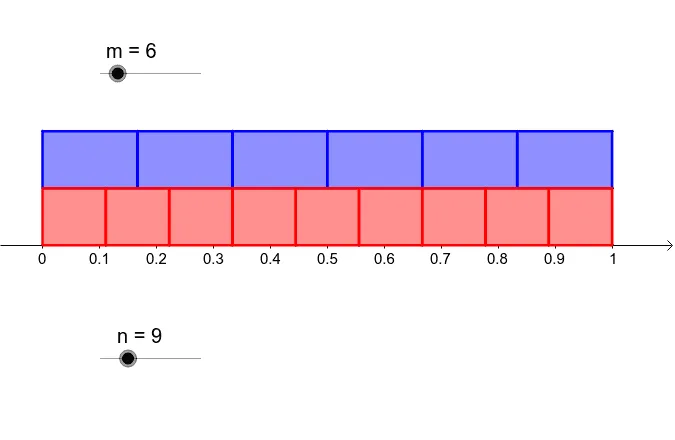
This example demonstrates the concept of a fraction wall, involving basic fraction concepts. Using GeoGebra commands such as Point, OrthogonalLine, Intersect, and Sequence, a fraction wall can be constructed to illustrate fraction addition and subtraction. Suitable for high-grade elementary and junior high school students.
GeoGebra Commands & Parameters
Point(yAxis) → APoint(yAxis) → BOrthogonalLine(A, yAxis) → aOrthogonalLine(B, yAxis) → bPoint(xAxis) → COrthogonalLine(C, xAxis) → cIntersect(a, c) → DIntersect(b, c) → ESequence((k / m, 1), k, 0, m) → m0Sequence((k / m, 2), k, 0, m) → m1Sequence((k / n, 1), k, 0, n) → n0Sequence((k / n, 0), k, 0, n) → n1Sequence(Polygon[{Element[m0, k], Element[m0, k + 1], Element[m1, k + 1], Element[m1, k]}], k, 1, m) → mqSequence(Polygon[{Element[n0, k], Element[n0, k + 1], Element[n1, k + 1], Element[n1, k]}], k, 1, n) → nq
AI Drawing Prompt Reference
Draw a fraction wall by creating multiple rectangles on a horizontal line to illustrate fractions. Start by placing two points on the vertical axis and draw horizontal lines from these points. Then, place a point on the horizontal axis and draw a vertical line from this point, intersecting the two horizontal lines to get two intersection points. Use sequences to generate multiple fraction positions and draw rectangles sequentially, each representing a fraction, to combine them and show the addition and subtraction of fractions.
The prompt above was compiled from the original drawing commands and is for reference only.