
Fraction Multiplication Demo by James Monaghan
Loading the math board and drawing, please wait…
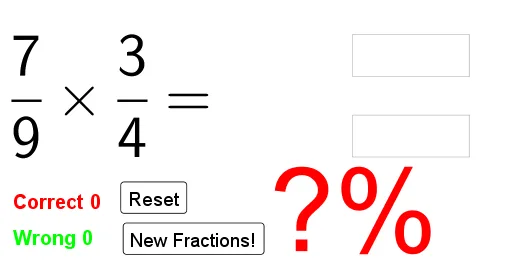
This example demonstrates the calculation and visualization process of fraction multiplication, involving core math concepts like fractions, rational numbers, standard deviation introduction, and binomial distribution basics. It uses GeoGebra commands like Random, FractionText, Textfield, and If, suitable for middle school and above mathematics education.
GeoGebra Commands & Parameters
Random(2, 12) → den1Random(1, den1) → num1Random(2, 12) → den2Random(1, den2) → num2FractionText(frac1) → text1FractionText(frac2) → text2Textfield(num) → InputBox1Textfield(den) → InputBox2If(frac1 + frac2 ≟ num / den, "Correct!", "") → text4
AI Drawing Prompt Reference
Create a visual demonstration of fraction multiplication. Display two random fractions in standard form (numerator over denominator) side by side with a multiplication sign between them. Below, place two input boxes for entering the numerator and denominator of the product. Next to them, include a feedback area that shows the word 'Correct' when the entered result matches the actual product, otherwise it remains empty. Keep the layout clean and educational, with clear dark outlines for fractions and input fields, suitable for classroom use.
The prompt above was compiled from the original drawing commands and is for reference only.