
Fraction Fluency: Amount of a Whole
Loading the math board and drawing, please wait…
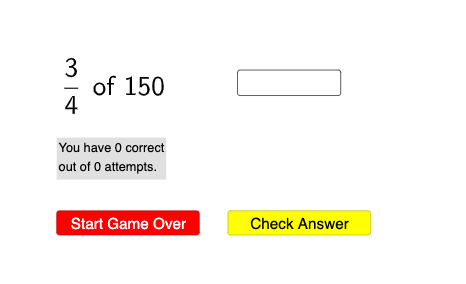
This example demonstrates how to dynamically visualize different fractions (e.g., eighths, fourths) as parts of a whole using GeoGebra. It involves core math concepts like fractions, multiplication, equilateral triangles, straight lines, fractal geometry, 3D vectors, and random variables. The construction leverages commands and objects such as Sequence, Sort, RandomElement, IndexOf, Element, Textfield, Numerator, and Denominator. Suitable for middle school and above, it aids in understanding fraction operations and geometric intuition.
GeoGebra Commands & Parameters
Sequence(u / 10, u, 1, 9) → tenths, {0.1, 0.2, 0.3, 0.4, 0.5, 0.6, 0.7, 0.8, 0.9}Sort(Join[{fourths, tenths, thirds, eights}]) → l1Sequence(FractionText[Element[l1, u]], u, 1, Length[l1]) → l2, {" \frac{ 1 }{ 10 } ", " \frac{ 1 }{ 8 } ", " \frac{ 1 }{ 5 } ", " \frac{ 1 }{ 4 } ", " \frac{ 3 }{ 10 } ", " \frac{ 1 }{ 3 } ", " \frac{ 3 }{ 8 } ", " \frac{ 2 }{ 5 } ", " \frac{ 1 }{ 2 } ", " \frac{ 3 }{ 5 } ", " \frac{ 5 }{ 8 } ", " \frac{ 2 }{ 3 } ", " \frac{ 7 }{ 10 } ", " \frac{ 3 }{ 4 } ", " \frac{ 4 }{ 5 } ", " \frac{ 7 }{ 8 } ", " \frac{ 9 }{ 10 } "}RandomElement(l2) → text1, " \frac{ 3 }{ 4 } "Sort(Flatten[Sequence[Sequence[Sequence[((2^(a) * 5^(b)) * 3^(c)), a, 1, 3], b, 1, 2], c, 1, 2]]) → l3RandomElement(l3) → aIndexOf(text1, l2) → bElement(l1, b) → cTextfield(ans) → InputBox1Numerator(c) → eDenominator(c) → f
AI Drawing Prompt Reference
Draw a circle to represent the whole, and divide it into 10 sectors for tenths, 8 sectors for eighths, 5 sectors for fifths, and 4 sectors for quarters. Randomly select a fraction, such as three-quarters, and label its value inside the circle.
The prompt above was compiled from the original drawing commands and is for reference only.