
Finding Midpoint & Endpoint in the Coordinate Plane
Loading the math board and drawing, please wait…
This example demonstrates how to find midpoints and endpoints in the coordinate plane using GeoGebra tools. It involves core mathematical concepts such as coordinate geometry, midpoint formula, and point representation. Construction highlights include the use of GeoGebra commands like Random (random number generation), Midpoint (midpoint calculation), Textfield (text field), and If (conditional statements); objects include a, b, c, d, A, B, C, D, text1, InputBox1, text4, n, w, text6, button1, E, F, G, text2, text3, text7, text5. Suitable for middle school students and above to learn basic operations and calculations in coordinate geometry.
GeoGebra Commands & Parameters
Random(-20, 20) → aRandom(-20, 20) → bRandom(-20, 20) → cRandom(-20, 20) → dMidpoint(A, B) → CTextfield(D) → InputBox1Random(1, 2) → nRandom(1, 2) → wIf(w ≟ 1, "B", "A") → text6If(w ≟ 1, A, B) → EMidpoint(A, F) → GIf(n ≟ 1 ∧ x(C) ≟ x(D) ∨ n ≟ 2 ∧ x(D) ≟ x(F), "√", "X") → text2If(n ≟ 1 ∧ y(C) ≟ y(D) ∨ n ≟ 2 ∧ y(D) ≟ y(F), "√", "X") → text3If(w ≟ 1, "A", "B") → text7
AI Drawing Prompt Reference
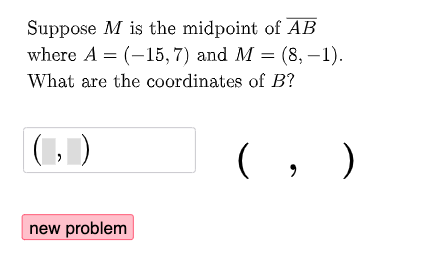
Draw a coordinate plane with two random points as endpoints of a segment, and show its midpoint. Randomly choose one endpoint as a reference, and place an input box for entering coordinates of another point. Based on whether the entered x- and y-coordinates match the midpoint or the reference point, display checkmarks or crosses respectively. Label which endpoint is the reference, draw a segment from the reference to the entered point, and show the midpoint of that segment. The scene includes points, segments, midpoints, an input box, and judgment symbols.
The prompt above was compiled from the original drawing commands and is for reference only.