
Find the Right Shape
Loading the math board and drawing, please wait…
In collections
Solid figures
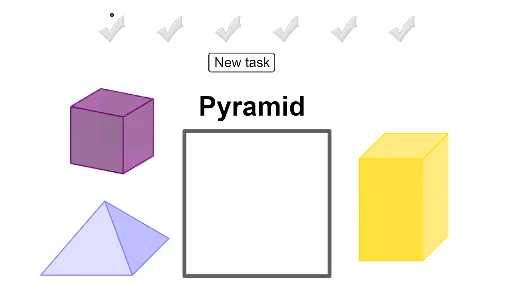
This example demonstrates shape matching by dragging objects into a designated area. Core math concepts include polygons, vectors, and function graph recognition. Construction highlights the use of GeoGebra commands like Midpoint, Polygon, and Vector. Suitable for middle school students and above for geometric recognition and spatial reasoning training.
GeoGebra Commands & Parameters
Midpoint(K, Corner[Bild18, 3]) → MMidpoint(I, Corner[Bild17, 3]) → QMidpoint(G, Corner[Bild16, 3]) → OPolygon(A, B, 4) → poly1, f, g, h, i, C, DMidpoint(H_4, Corner[Bild14, 3]) → B_5Midpoint(Z_3, Corner[Bild10, 3]) → V_4Midpoint(R_2, Corner[Bild2, 3]) → Z_4Midpoint(J_4, Corner[Bild15, 3]) → S_4Midpoint(F_3, Corner[Bild8, 3]) → U_4Midpoint(V_2, Corner[Bild4, 3]) → Q_4Midpoint(F_4, Corner[Bild13, 3]) → T_4Midpoint(H_3, Corner[Bild9, 3]) → R_4Vector(J_2, K_2) → uMidpoint(L_2, Corner[Bild1, 3]) → EMidpoint(L_2, Corner[Bild1, 3]) → FMidpoint(B_4, Corner[Bild11, 3]) → A_1Midpoint(D_3, Corner[Bild7, 3]) → Q_1Midpoint(Z_2, Corner[Bild5, 3]) → B_1Midpoint(B_3, Corner[Bild6, 3]) → S_1Midpoint(D_4, Corner[Bild12, 3]) → ZMidpoint(T_2, Corner[Bild3, 3]) → R_1Midpoint(T_2, Corner[Bild3, 3]) → L_4
AI Drawing Prompt Reference
Draw a quadrilateral with its four sides labeled, then mark the midpoint of each side. Next, draw a vector from one vertex to the midpoint of the opposite side. Finally, create an inner quadrilateral using the midpoints of the sides and two vertices, forming a complex geometric design that highlights polygon and vector relationships for geometric recognition and spatial reasoning training.
The prompt above was compiled from the original drawing commands and is for reference only.