
Find the Right Figure
Loading the math board and drawing, please wait…
In collections
Solid figures
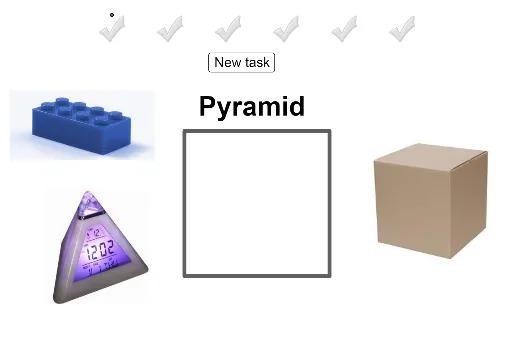
This example demonstrates matching shapes by dragging them into a designated area, involving core math concepts like polygons, vectors, and linear regression. It uses GeoGebra commands such as Polygon, Midpoint, and Vector. Suitable for middle school and above for geometric construction and concept learning.
GeoGebra Commands & Parameters
Polygon(A, B, 4) → poly1, f, g, h, i, C, DMidpoint(E, Corner[pic1, 3]) → Q_1Midpoint(A_1, Corner[pic11, 3]) → R_1Midpoint(W, Corner[pic10, 3]) → S_1Midpoint(S, Corner[pic8, 3]) → T_1Midpoint(G_1, Corner[pic14, 3]) → U_1Midpoint(G, Corner[pic3, 3]) → V_1Midpoint(E_1, Corner[pic13, 3]) → W_1Midpoint(U, Corner[pic9, 3]) → Z_1Midpoint(I_1, Corner[pic15, 3]) → A_2Midpoint(M, Corner[pic2, 3]) → B_2Midpoint(O, Corner[pic6, 3]) → C_2Midpoint(K, Corner[pic5, 3]) → D_2Midpoint(C_1, Corner[pic12, 3]) → E_2Midpoint(Q, Corner[pic7, 3]) → F_2Midpoint(I_3, Corner[pic20, 3]) → S_3Midpoint(K_3, Corner[pic21, 3]) → T_3Midpoint(Q_3, Corner[pic22, 3]) → U_3Midpoint(I, Corner[pic4, 3]) → V_3Vector(J_2, K_2) → u
AI Drawing Prompt Reference
Draw a quadrilateral and find the midpoints of each side, connecting them to form a new quadrilateral. Add several vectors pointing from one point to another to show the relationships between them. Combine all these elements into a geometric figure that includes polygons, midpoints, and vectors, demonstrating geometric construction and linear regression concepts.
The prompt above was compiled from the original drawing commands and is for reference only.