
Find the Parallel and Perpendicular Line: Interactive Linear Equation Practice
Loading the math board and drawing, please wait…
In collections
Linear Equations Activities
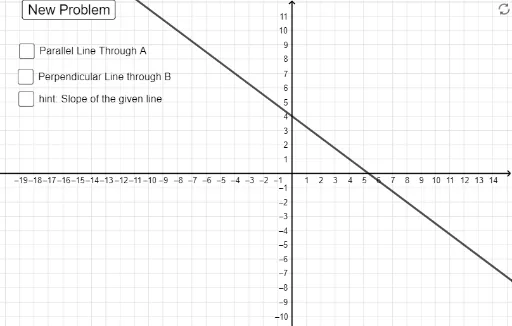
This GeoGebra example demonstrates how to find the equations of lines parallel and perpendicular to a given line through interactive input boxes and randomly generated conditions. The core mathematical concepts include slope of a line, equal slopes for parallel lines, negative reciprocal slopes for perpendicular lines, and point-slope or slope-intercept forms of linear equations. Construction highlights: the Random and RandomElement commands generate random line parameters, Slope computes the slope, OrthogonalLine constructs the perpendicular line, If checks user answers, Textfield and InputBox provide interactive input, and FractionText displays slopes as fractions. Suitable for upper middle school or high school students practicing algebra and coordinate geometry, and useful for classroom demonstrations or self-paced exploration of parallel and perpendicular relationships.
GeoGebra Commands & Parameters
FromBase(d_1, 10) → d_pRandomElement({1 / 2, 1 / 4, 3 / 4, -1 / 2, -1 / 4, -3 / 4}) → aRandom(-6, 6) → bFromBase(n_1, 10) → n_pTextfield(n_1) → InputBox1If(a ≥ 0, n_p / d_p, ((-n_p)) / d_p) → s_pTextfield(d_1) → InputBox2Random(-6, 6) → b_2FromBase("b_2", 10) → yi_pIf(b_2 ≟ b, b_2 + 1, b_2) → b_3RandomElement({-4, 4, 0}) → A_xRandom(-8, 8) → b_4OrthogonalLine(G, f) → gRandomElement({-3, 3, 0}) → B_{x}Textfield(c) → InputBox3FromBase(c, 10) → c_1If(b ≥ 0, c_1, (-c_1)) → c_2If(d ≟ true ∧ b_3 ≟ c_2 ∧ a ≟ s_p, "Great Job!", "") → Sol_1If(d ≟ true ∧ s_p ≠ a ∧ d_1 ≠ "" ∧ n_1 ≠ "", "Check your slope", "") → Sol_2If(d ≟ true ∧ b_3 ≠ c_2, "Check your y-intercept", "") → Sol_3If(d ≟ true ∧ b > -1, "x +", "x -") → t_2If(e ≟ true ∧ b_4 ≥ 0, "x +", "x -") → t_3If(d ≟ true ∧ a ≥ 0, "y = ", "y = -") → t_1Slope(g) → a_1If(e ≟ true ∧ a_1 ≥ 0, "y = ", "y = -") → t_4If(b_4 ≥ 0, c_2, (-c_2)) → c_3If(e ≟ true ∧ b_4 ≠ c_3, "Check your y-intercept", "") → Sol_4If(a_1 ≥ 0, n_p / d_p, ((-n_p)) / d_p) → s_{p1}If(e ≟ true ∧ s_{p1} ≠ a_1 ∧ d_1 ≠ "" ∧ n_1 ≠ "", "Check your slope", "") → Sol_5If(e ≟ true ∧ b_4 ≟ c_3 ∧ a_1 ≟ s_{p1}, "Great Job!", "") → Sol_6FractionText(a) → a_2
AI Drawing Prompt Reference
Draw a randomly generated line and label its slope and y-intercept. Then, based on the slope of this line, draw a parallel and a perpendicular line, and calculate their equations. Display the equations of these two lines in the graph and let students verify their answers through input boxes. Finally, show all slopes in fractional form and provide corresponding feedback messages.
The prompt above was compiled from the original drawing commands and is for reference only.