
Find the Formula
Loading the math board and drawing, please wait…
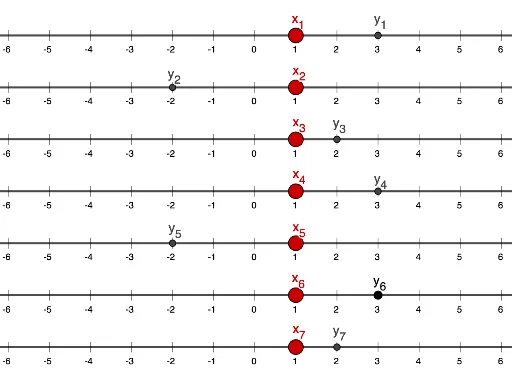
This example demonstrates how to dynamically construct geometric figures and derive related formulas using GeoGebra. It involves core mathematical concepts such as functions, perimeter, rotation, rectangles, general quadrilaterals, and matrix operations. Key GeoGebra commands and objects used include Sequence and Point, along with a variety of points and lines labeled L_0 to L_6, A_1 to B_7, and T_0 to T_6. This is suitable for high school mathematics teaching, illustrating applications of functions, geometric transformations, and matrices.
GeoGebra Commands & Parameters
Sequence(Segment[(i, 6.1), (i, 5.9)], i, -6, 6) → L_6Sequence(Segment[(i, 5.1), (i, 4.9)], i, -6, 6) → L_5Sequence(Segment[(i, 2.1), (i, 1.9)], i, -6, 6) → L_2Sequence(Segment[(i, 3.1), (i, 2.9)], i, -6, 6) → L_3Sequence(Segment[(i, 4.1), (i, 3.9)], i, -6, 6) → L_4Sequence(Segment[(i, 1.1), (i, 0.9)], i, -6, 6) → L_1Sequence(Segment[(i, 0.1), (i, -0.1)], i, -6, 6) → L_0Point(f) → A_1Point(g) → A_2Point(h) → A_3Point(i) → A_4Point(j) → A_5Point(k) → A_6Point(k) → B_6Point(l) → A_7Sequence(Text["" + (i), (If[i < 0, i - 0.15, i - 0.08], -0.33)], i, -6, 6) → T_0Sequence(Text["" + (i), (If[i < 0, i - 0.15, i - 0.08], 0.67)], i, -6, 6) → T_1Sequence(Text["" + (i), (If[i < 0, i - 0.15, i - 0.08], 1.67)], i, -6, 6) → T_2Sequence(Text["" + (i), (If[i < 0, i - 0.15, i - 0.08], 2.67)], i, -6, 6) → T_3Sequence(Text["" + (i), (If[i < 0, i - 0.15, i - 0.08], 3.67)], i, -6, 6) → T_4Sequence(Text["" + (i), (If[i < 0, i - 0.15, i - 0.08], 4.67)], i, -6, 6) → T_5Sequence(Text["" + (i), (If[i < 0, i - 0.15, i - 0.08], 5.67)], i, -6, 6) → T_6