
Filling a Cylinder and Related Functions
Loading the math board and drawing, please wait…
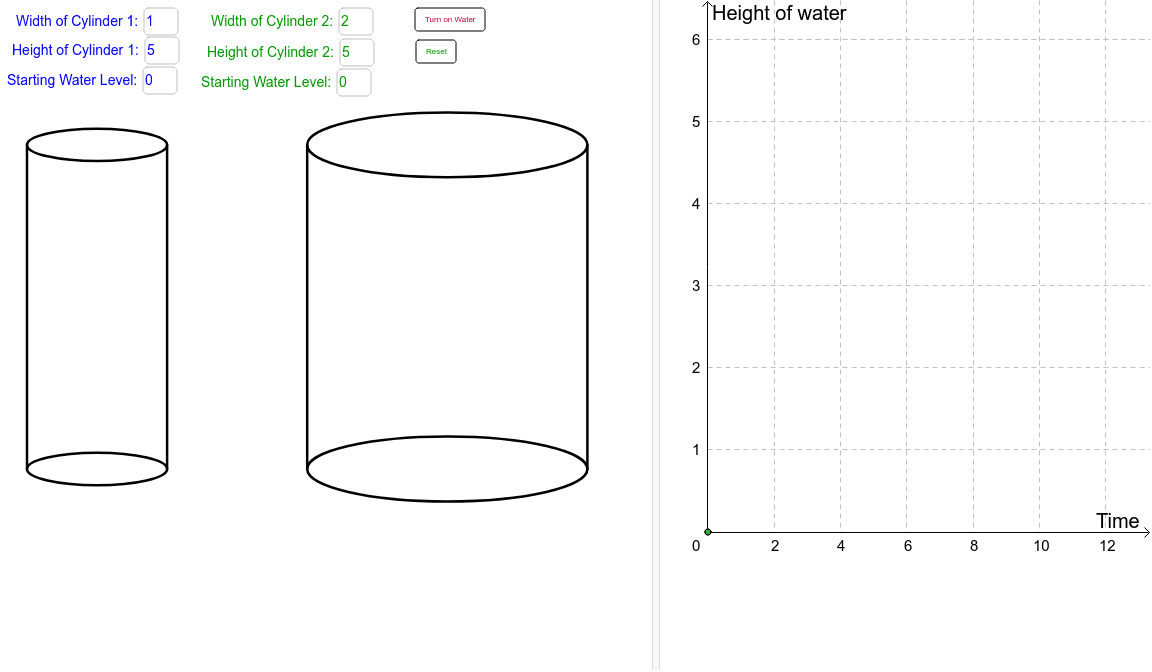
This interactive GeoGebra example demonstrates the process of filling a cylinder with water, showing how the water level and the filled volume are related through a function. The core mathematical concepts include the volume formula of a cylinder, linear functions, arithmetic mean, and the idea of upper and lower sums (Riemann sums). The construction uses GeoGebra commands such as Textfield, Polygon, and Max to create the cylinder's base, top, side, and water-level polygons, with sliders or input boxes controlling the cylinder height and water height to update the filled volume and function graph in real time. It is suitable for middle school, high school, or pre-calculus students to intuitively understand volume calculation, function modeling, and the foundations of integration.
GeoGebra Commands & Parameters
Textfield(width1) → inputBox1Textfield(width2) → inputBox2Textfield(height1) → inputBox3Textfield(height2) → inputBox4Polygon(A1, (x(A1) + width1, y(A1)), (x(A1) + width1, y(A1) + height1), (x(A1), y(A1) + height1)) → polyc1edge, a1, a, b, c_1Polygon(A1, (x(A1) + width1, y(A1)), (x(A1) + width1, y(A1) + wheight1), (x(A1), y(A1) + wheight1)) → polyc1water, a1_1, d, e, fPolygon(A1, (x(A1) + width1, y(A1)), (x(A1) + width1, y(A1) + height1), (x(A1), y(A1) + height1)) → polyc1full, a1_2, g, h, iPolygon(A2, (x(A2) + width2, y(A2)), (x(A2) + width2, y(A2) + height2), (x(A2), y(A2) + height2)) → polyc2edge, a2, j, k, lPolygon(A2, (x(A2) + width2, y(A2)), (x(A2) + width2, y(A2) + height2), (x(A2), y(A2) + height2)) → polyc2full, a2_1, m, n, pPolygon(A2, (x(A2) + width2, y(A2)), (x(A2) + width2, y(A2) + wheight2), (x(A2), y(A2) + wheight2)) → polyc2water, a2_2, q, r, sTextfield(swlevel1) → inputBox6Textfield(swlevel2) → inputBox7Max(π * (width1 / 2)^(2) * height1 - π * (width1 / 2)^(2) * swlevel1, π * (width2 / 2)^(2) * height2 - π * (width2 / 2)^(2) * swlevel2) → MaxWater
AI Drawing Prompt Reference
Draw a cylinder with a bottom and top that are circles of radius half the width, and heights of input height1 and input height2. The side is a rectangle with height equal to the width and widths of input width1 and input width2. Draw water level lines inside the cylinder based on input water level height1 and water level height2, and calculate and display the filled water volume. Use input boxes to control the cylinder height and water level height, and update the cylinder and filled volume in real time.
The prompt above was compiled from the original drawing commands and is for reference only.