
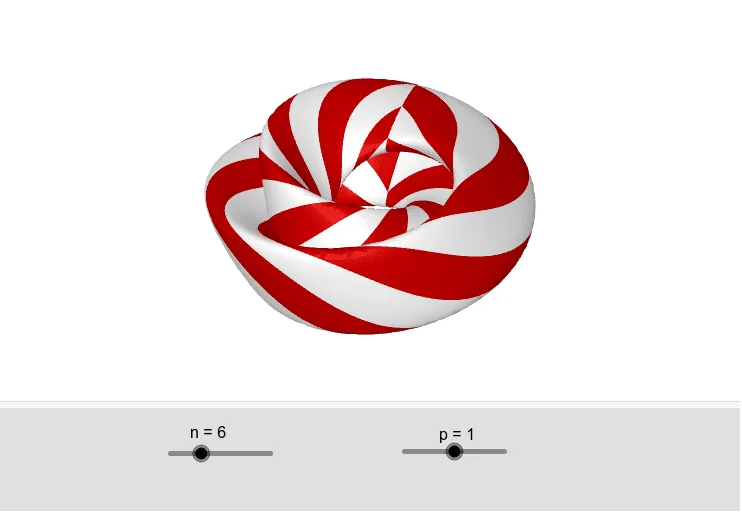
Figure 8 Surface by Juan Carlos Ponce Campuzano
Loading the math board and drawing, please wait…
This example demonstrates the Figure 8 surface, a special type of torus in solid geometry. Using the Sequence command in GeoGebra, the construction process of the Figure 8 surface can be dynamically shown. This example is suitable for high school mathematics education, particularly in solid geometry and parametric equations.
GeoGebra Commands & Parameters
Sequence(Surface[gx(u, v), gy(u, v), gz(u, v), u, (-π), π, v, i + π / n, i + (2 * π / n)], i, 0, (2 * π), (2 * π / n)) → blackSequence(Surface[gx(u, v), gy(u, v), gz(u, v), u, (-π), π, v, i, i + π / n], i, 0, (2 * π), (2 * π / n)) → white
AI Drawing Prompt Reference
Draw a Figure 8 surface, a special type of torus. Use the parametric equations gx(u, v), gy(u, v), and gz(u, v) to construct the surface with u and v ranging from -π to π. Divide the surface into multiple parts using the Sequence command, with one part shown in black and another in white, creating a dynamic Figure 8 surface.
The prompt above was compiled from the original drawing commands and is for reference only.