
Expressing Numbers in Scientific Notation
Loading the math board and drawing, please wait…
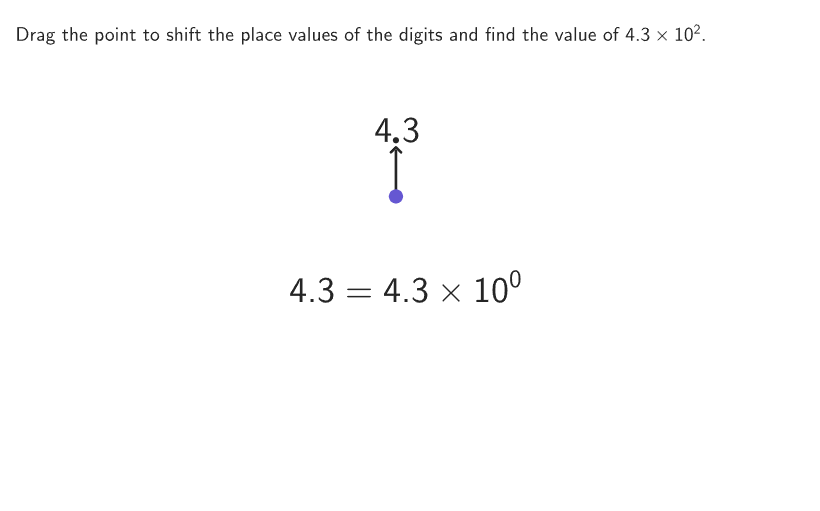
This example demonstrates the conversion between standard notation and scientific notation. Key math concepts include the format of scientific notation, the requirements of the coefficient, and the meaning of the exponent. GeoGebra commands like Shuffle, Sequence, Point, IndexOf, If are used to generate and manipulate numbers. Suitable for 6-8 grade students to learn the application and conversion skills of scientific notation.
GeoGebra Commands & Parameters
Shuffle(Sequence[100]) → random1, {5, 90, 22, 15, 25, 60, 55, 65, 83, 86, 80, 46, 8, 82, 6, 56, 84, 24, 85, 18, 93, 17, 40, 52, 74, 71, 95, 88, 20, 38, 23, 97, 58, 68, 89, 1, 14, 9, 64, 100, 48, 67, 62, 54, 81, 77, 10, 2, 45, 73, 12, 27, 75, 42, 30, 57, 11, 37, 87, 79, 19, 94, 39, 29, 43, 49, 61, 34, 96, 72, 66, 33, 3, 91, 47, 16, 32, 69, 44, 26, 53, 35, 4, 51, 76, 13, 92, 31, 63, 7, 36, 70, 99, 78, 98, 21, 50, 59, 28, 41}Shuffle(Sequence[100]) → random3, {24, 67, 3, 38, 10, 4, 60, 55, 78, 90, 50, 75, 17, 46, 36, 63, 1, 95, 98, 56, 70, 65, 54, 33, 74, 79, 94, 88, 45, 89, 40, 26, 34, 77, 18, 86, 61, 48, 85, 62, 99, 64, 91, 9, 43, 15, 39, 84, 35, 87, 82, 49, 100, 23, 58, 27, 96, 6, 52, 53, 21, 13, 92, 57, 11, 73, 41, 42, 28, 80, 2, 47, 29, 68, 93, 97, 44, 19, 59, 72, 32, 81, 7, 31, 37, 12, 22, 5, 25, 83, 14, 69, 16, 20, 51, 76, 71, 66, 30, 8}Shuffle(Sequence[100]) → random2, {39, 32, 22, 50, 42, 41, 31, 68, 25, 81, 33, 6, 56, 63, 7, 8, 51, 61, 100, 70, 74, 5, 9, 20, 46, 58, 94, 71, 53, 76, 12, 91, 21, 92, 27, 3, 2, 97, 55, 54, 35, 66, 29, 26, 86, 52, 73, 30, 78, 93, 96, 37, 16, 82, 49, 65, 64, 45, 60, 23, 84, 19, 62, 83, 95, 43, 99, 79, 75, 17, 38, 10, 24, 59, 69, 40, 77, 15, 4, 90, 85, 13, 98, 89, 72, 1, 14, 88, 48, 28, 36, 67, 34, 87, 44, 47, 80, 11, 18, 57}Sequence(Anchor + ((A * boxWidth) + (1.3 * gap), (-vGap)), A, 2, maxPositions) → pointAnchorsPoint(pointAnchors) → PDecimalIndexOf(PDecimal, pointAnchors) → decimalIndexIf(decimalIndex ≟ 10, (("\textcolor{" * colorGreyMedium) * "}{0}"), If[decimalIndex > 10, "0", ""]) → labelKIf(decimalIndex ≟ 9, (("\textcolor{" * colorGreyMedium) * "}{0}"), If[decimalIndex > 9, "0", ""]) → labelJElement(random3, Mod[countQuestion, Length[random3]] + 1) → randomNum3If(numSignificant > 2, Mod[randomNum3, 9] + 1, 0) → significant3Element(random1, Mod[countQuestion, Length[random1]] + 1) → randomNum1Element(random2, Mod[countQuestion, Length[random2]] + 1) → randomNum2If(numSignificant > 1, Mod[randomNum2, 9] + 1, 0) → significant2If(decimalIndex ≟ 8, (("\textcolor{" * colorGreyMedium) * "}{0}"), If[decimalIndex > 8, "0", ""]) → labelIIf(significant3 > 0, ("" * significant3), If[decimalIndex ≟ 7, (("\textcolor{" * colorGreyMedium) * "}{0}"), If[decimalIndex > 7, "0", ""]]) → labelHIf(significant2 > 0, ("" * significant2), If[decimalIndex ≟ 6, (("\textcolor{" * colorGreyMedium) * "}{0}"), If[decimalIndex > 6, "0", ""]]) → labelGIf(decimalIndex ≤ 5, "0", "") → labelEIf(decimalIndex ≤ 4, "0", "") → labelDIf(decimalIndex ≤ 3, "0", "") → labelCIf(decimalIndex ≤ 2, "0", "") → labelBIf(decimalIndex ≟ 1, "0", "") → labelAShuffle({-1, -2, -3, -4, -5, 1, 2, 3, 4, 5}) → randPowers, {2, -2, -3, -1, -4, 4, 5, 3, -5, 1}Element(randPowers, Mod[countQuestion, Length[randPowers]] + 1) → randomPowerCorner(5) → layoutAppSizeIf(correct, {0, 103 / 255, 88 / 255}, {101 / 255, 87 / 255, 210 / 255}) → rgbDecimalIf(correct, {0, 103 / 255, 88 / 255}, {37 / 255, 37 / 255, 37 / 255}) → rgbNumbersIf(decimalIndex ≟ 12, (("\textcolor{" * colorGreyMedium) * "}{0}"), If[decimalIndex > 12, "0", ""]) → labelMIf(decimalIndex ≟ 11, (("\textcolor{" * colorGreyMedium) * "}{0}"), If[decimalIndex > 11, "0", ""]) → labelLSequence(Anchor + (If[A ≤ decimalIndex, (A * boxWidth), (A * boxWidth) + gap], 0), A, 1, maxPositions) → textAnchorsTableText({studentExpr}, {"\hspace{800px}"}, "c") → centerExprZip(Text[("" * A), B + (boxWidth - gap / 2, 0), false, true, 0, 0], A, labelContent, B, textAnchors) → allLabelsSegment(PDecimal, PDecimal + (0, vGap - 0.3)) → arrowDecimalcirclePixels(PDecimal, 7 + (7 * pulsing), Corner[1], Corner[3], Corner[5]) → pulsingPoint
AI Drawing Prompt Reference
The graphic is a scientific notation conversion interface. It includes multiple number points, each with a label showing the decimal point and exponent. There are arrows pointing to the number points and a pulsing point indicating dynamic effects. The number points are generated from random sequences, and labels are created based on the decimal point and exponent positions. The construction order: first generate random number sequences, then create number points, then generate labels, and finally add arrows and the pulsing point.
The prompt above was compiled from the original drawing commands and is for reference only.