
Exponents- Product Rule Demo
Loading the math board and drawing, please wait…
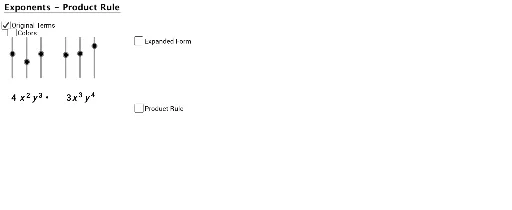
This example demonstrates the product rule of exponents through geometric and algebraic representations. Key math concepts include exponent rules, function graph transformations, and interactive sliders. It uses commands like Text, If, Translate, Sequence, and objects such as expX1, expY1 to visualize the rule dynamically. Ideal for high school mathematics education to understand exponent properties and operations.
GeoGebra Commands & Parameters
Text("y") → text4Text("y") → text6Text("x") → text5Text(expX1 + "") → text8Text(expX2 + "") → text9Text(expY1 + "") → text10Text(expY2 + "") → text11If(color, 255, 0) → factorColor255If(color, 153, 0) → factorColor153Text("x") → text3If(expX1 - expX2 ≟ 0 ∧ expY1 - expY2 ≟ 0, 1, 0) → zerosTranslate((6.923609046978582, -1.782455570499752), Vector[(0, 0), (0, -3)]) → ATranslate((6.923609046978582, 0.217544429500248), Vector[(0, 0), (0, -3)]) → BTranslate((7.524258469913336, 0.217544429500248), Vector[(0, 0), (0, -3)]) → CTranslate((7.524258469913336, -1.782455570499752), Vector[(0, 0), (0, -3)]) → DSequence(Translate[xtop, Vector[(1.5, 0), ((0.65 * i), 0)]], i, 0, expX1 + expX2 - 1) → ExpandXtopSequence(Translate[ytop, Vector[(0, 0), ((0.65 * i), 0)]], i, 0, expY1 + expY2 - 1) → ExpandYtop