
Exponents: Product Rule Interactive Visualization
Loading the math board and drawing, please wait…
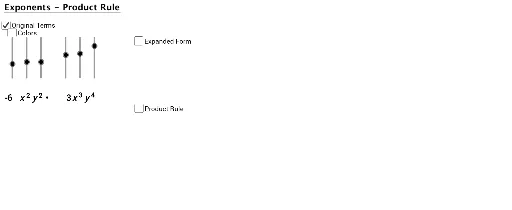
①This GeoGebra example dynamically demonstrates the product rule of exponents (a^m × a^n = a^(m+n)), visually showing how exponents add when multiplying like bases. ②Core math concepts include exponential functions, exponent properties, parametric curves, piecewise functions, and percentages, with a focus on the algebraic rule behind exponent multiplication. ③Construction highlights: uses commands such as Text, If, Translate, and Sequence to build dynamic text and objects like expX1, expX2, expY1, expY2, and rule/expand objects that illustrate the derivation; colorFactor255 and colorFactor153 control visual styling; includes Title, zeros, xtop, ytop, and coefficient text objects for a complete interactive layout. ④Suitable for middle and high school students learning exponent rules, and useful for teachers in classroom demonstrations or for self-paced exploration, allowing users to adjust bases and exponents via sliders to see the product rule in action.
GeoGebra Commands & Parameters
Text("y") → text4Text("y") → text6Text("x") → text5Text(expX1 + "") → text8Text(expX2 + "") → text9Text(expY1 + "") → text10Text(expY2 + "") → text11If(color, 255, 0) → factorColor255If(color, 153, 0) → factorColor153Text("x") → text3If(expX1 - expX2 ≟ 0 ∧ expY1 - expY2 ≟ 0, 1, 0) → zerosTranslate((6.923609046978582, -1.782455570499752), Vector[(0, 0), (0, -3)]) → ATranslate((6.923609046978582, 0.217544429500248), Vector[(0, 0), (0, -3)]) → BTranslate((7.524258469913336, 0.217544429500248), Vector[(0, 0), (0, -3)]) → CTranslate((7.524258469913336, -1.782455570499752), Vector[(0, 0), (0, -3)]) → DSequence(Translate[xtop, Vector[(1.5, 0), ((0.65 * i), 0)]], i, 0, expX1 + expX2 - 1) → ExpandXtopSequence(Translate[ytop, Vector[(0, 0), ((0.65 * i), 0)]], i, 0, expY1 + expY2 - 1) → ExpandYtop
AI Drawing Prompt Reference
Create a dynamic visualization of the product rule for exponents, showing two exponential expressions expX1 and expX2, whose product is expY1 and expY2. Adjust the base and exponent to observe the rule of exponent multiplication, and include key mathematical texts such as x and y axis labels, and the rule text that illustrates the addition of exponents.
The prompt above was compiled from the original drawing commands and is for reference only.