
Exponential Functions and Growth Rate
Loading the math board and drawing, please wait…
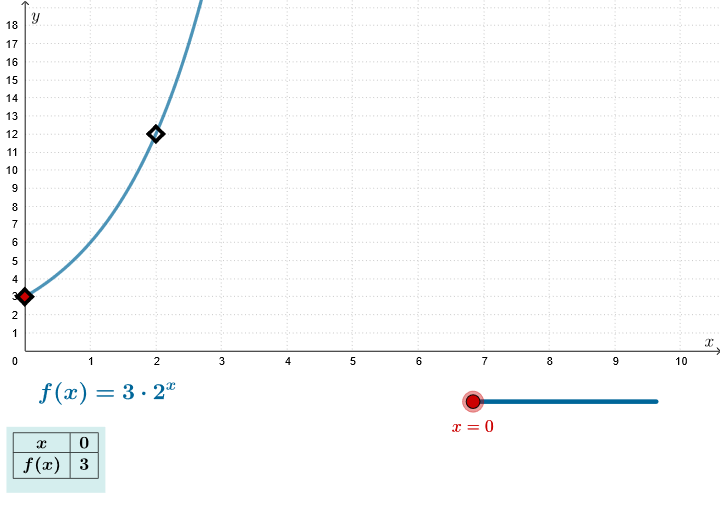
This example demonstrates the graph of exponential functions of the form f(x)=ab^x and their growth rate. It involves core math concepts like exponential functions, growth rate, derivatives, and integrals. Constructed using GeoGebra commands Segment, Point, Slope, Sequence, Line, TableText with objects B, g, A, baseSempl, radBaseSempl, m, f, xSeq, ySeqText, n, ySeq, h, ptList, text2, text1. Suitable for high school and above students to understand the properties and applications of exponential functions.
GeoGebra Commands & Parameters
Segment((0, 1), (0, floor(y(Corner[4])))) → gPoint(g) → ASlope(Line[A, B]) → mSequence(FractionText[f(n)], n, 0, Length[xSeq] + 1) → ySeqTextSequence(f(n), n, 0, Length[xSeq] + 1) → ySeq, {3, 6, 12, 24, 48, 96, 192, 384, 768, 1536, 3072, 6144, 12288, 24576, 49152, 98304, 196608}Line(A, B) → hSequence((Element[xSeq, k], Element[ySeq, k]), k, 1, n + 1) → ptListTableText({Join[{{"\(x\)"}, Sequence[Element[xSeq, k], k, 1, n + 1]}], Join[{{"f(x)"}, Sequence[Element[ySeq, k], k, 1, n + 1]}], "c_"}, "c_|h") → text1
AI Drawing Prompt Reference
Draw the graph of an exponential function f(x)=ab^x to demonstrate its growth rate, including the function curve, points on the x-axis, tangent lines, and a function value table. Start by drawing a vertical segment and a point, then calculate and plot the tangent line, use a sequence to plot the function curve, and finally add a table with x and f(x) values beside it.
The prompt above was compiled from the original drawing commands and is for reference only.