
Exponential Function - Horizontal Translation
Loading the math board and drawing, please wait…
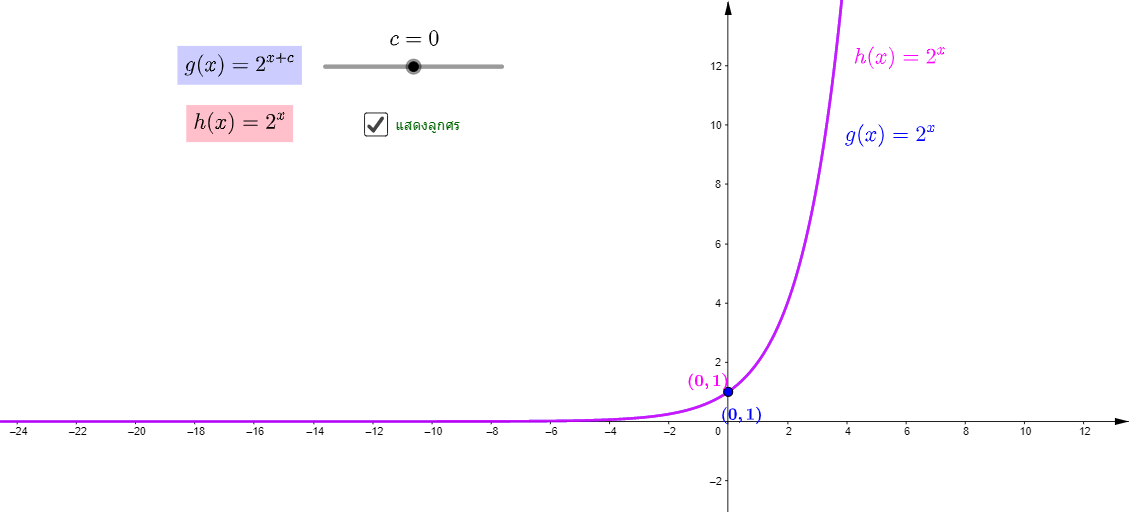
This GeoGebra example dynamically demonstrates the horizontal translation of an exponential function, showing how shifting the graph along the x-axis changes its position while preserving its shape. The core mathematical concepts include exponential functions, function transformations (horizontal shift), and the relationship between algebraic parameters and graphical behavior. The construction uses the Vector command to define translation vectors, creates the original exponential function f and its translated versions g and h, and employs sliders or movable points (A, B, C) to control the shift amount. Text objects (text1 to text8) label function expressions and key coordinates, while auxiliary elements like secant lines or reflections aid comparison. This resource is ideal for high school algebra or precalculus classes, helping students visualize how horizontal translations affect exponential growth or decay, and reinforcing the connection between symbolic manipulation and graphical interpretation.
GeoGebra Commands & Parameters
Vector(A, C) → u
AI Drawing Prompt Reference
Draw an exponential function graph to demonstrate horizontal translation, use a vector to show the direction and distance of translation, control the translation amount with a slider, and label the function expressions and key coordinates with text, auxiliary elements like secant lines help compare the original and translated graphs to emphasize the effect of translation on the shape of the exponential function.
The prompt above was compiled from the original drawing commands and is for reference only.