
Exploring the Product Property of Roots
Loading the math board and drawing, please wait…
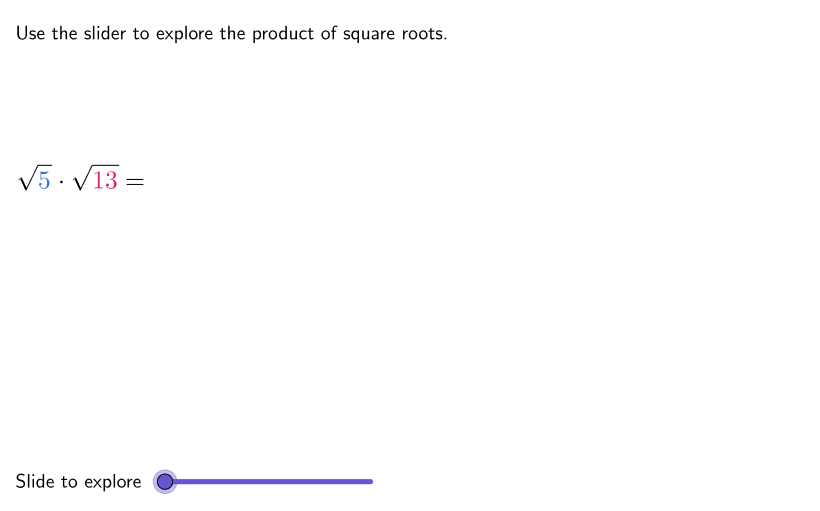
This GeoGebra activity interactively demonstrates the product property of roots by guiding students to see how multiplying root expressions produces a simplified result. Key concepts include radical expressions, the multiplication rules for roots, and strategies for simplifying expressions under/with radicals. Construction and interactivity are driven by controls and data handling: SelectedIndex manages the workflow/selection state, while Shuffle and Element are used to pick and access the underlying items for questions. Variables such as is, allA/allB, factA/factB, countQuestion coordinate the generated facts and tracking, and prod stores the computed product. The interface uses animation and navigation elements (btnAnim, btnRewind, ddMenu, aniSli, captionSli, tabOrder) and on-screen text (textQuestion, textStep) to display prompts and reasoning steps. Suitable for grades 9–12 in lessons or independent practice focused on simplifying radical expressions and building deeper understanding of root operations.
GeoGebra Commands & Parameters
SelectedIndex(ddMenu) → isShuffle({3, 5, 7, 11, 13, 17}) → allA, {3, 13, 17, 11, 5, 7}Element(allA, Mod[countQuestion, Length[allA]] + 1) → factAShuffle(allA \ {factA}) → allB, {13, 17, 11, 3, 7}Element(allB, Mod[countQuestion, Length[allB]] + 1) → factB
AI Drawing Prompt Reference
This is a geometric visualization of the product property of roots. The graph includes root expressions such as √2 and √3, connected to form a polygon. Users can use a slider to select different root combinations and observe the change in the product. A calculation area is also included to display the product results. The overall design aims to help students understand the multiplication rules and simplification methods for radical expressions.
The prompt above was compiled from the original drawing commands and is for reference only.