
Exploring the 4 Quadrants in the Coordinate Plane: Random Points and Distances
Loading the math board and drawing, please wait…
In collections
A1.ACE.1 - Create and solve equations and inequalities
Graphing Linear Functions
Plotting Points
Grade 8 Congruence and Transformations
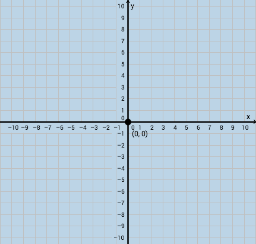
① This GeoGebra example demonstrates the four quadrants of the Cartesian coordinate plane by generating random points and computing distances between them. ② Core mathematical concepts include the coordinate plane, quadrant classification, coordinates of points, the distance formula, and the use of inequalities to determine which quadrant a point lies in. ③ Construction highlights: The Random command creates points A, C, D, etc.; Intersect finds intersections; Dilate scales objects; Vector constructs vectors; Distance computes lengths such as distanceEC, distanceAC, and distanceGD. Interactive buttons (button1, button2, button3) control actions, while text objects (text1–text6) display results. ④ Suitable for middle school coordinate geometry lessons or high school introductory analytic geometry, and for student-led exploration of coordinates and distances.
GeoGebra Commands & Parameters
Random(-10, 10) → aRandom(-10, 10) → bIntersect(f, g) → CIntersect(f, h) → DDilate(A, If[0 < e ≤ 1, 1 - e, 0], C) → A'Vector(E, A') → uDistance(E, C) → distanceECDistance(A, C) → distanceACDilate(C, If[1 < e ≤ 2, 2 - e, 0], D) → C'Vector(C, C') → vIntersect(g, xAxis) → FIntersect(f, g) → GDistance(G, D) → distanceGD
AI Drawing Prompt Reference
Draw a Cartesian coordinate plane with four quadrants clearly labeled. Place several random points in different quadrants, such as one in the first quadrant, one in the second, and another in the third or fourth. Connect some of these points with line segments and display the numerical distance for each segment. Mark the intersections of lines with the axes. Include a movable control point that adjusts the scale or position of certain points. Add text labels showing the quadrant of each point and the computed distances. The diagram should be clean and suitable for middle school geometry lessons.
The prompt above was compiled from the original drawing commands and is for reference only.