
Exploring Surfaces of Revolution by Irina Boyadzhiev
Loading the math board and drawing, please wait…
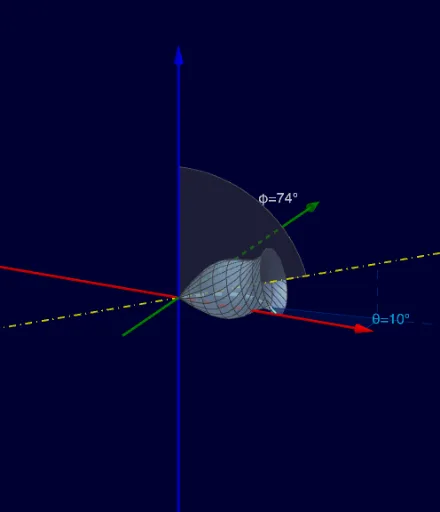
This GeoGebra applet demonstrates surfaces of revolution obtained by rotating a curve in 3D space. Key mathematical concepts include rotation, surfaces, and integral calculus. Using commands like Point, CircleSector, Circle, and OrthogonalLine, complex geometric shapes can be constructed. Suitable for high school and above students or teachers for teaching and learning.
GeoGebra Commands & Parameters
Point(zAxis) → CCircleSector(O, C, XYZ, xOyPlane) → pCircle(zAxis, A) → qOrthogonalLine(XYZ, xOyPlane) → gIntersect(g, xOyPlane) → DRay(O, D) → iiIntersect(ii, q) → G,Line(O, M) → fPoint(yAxis) → BAngle(C, O, M) → φAngle(A, O, D) → θCircleSector(O, G, A) → eeAngularBisector(A, O, D) → jAngularBisector(C, O, M) → mIntersect(m, p) → E,Intersect(j, ee) → F,OrthogonalLine(G, ii, xOyPlane) → nOrthogonalLine(G, xOyPlane) → rIntersect(r, f) → HSegment(H, G) → hCurveCartesian(xx(t), yy(t), t, tmin, tmax) → oTextfield(xx) → InputBox1Textfield(yy) → InputBox2Surface(o, k, f) → cTextfield(tmin) → InputBox3Textfield(tmax) → InputBox4Rotate(o, k, f) → o'