
Completing the Square
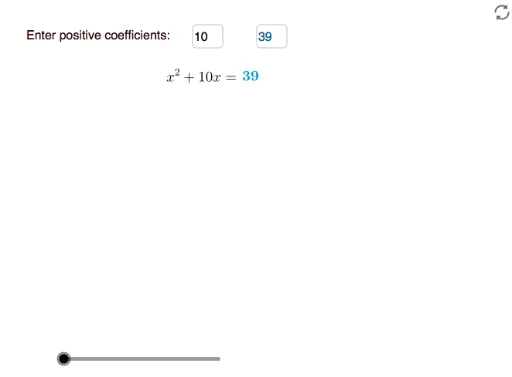
Loading the math board and drawing, please wait…
This example demonstrates how to convert a quadratic polynomial into vertex form using the method of completing the square. Key mathematical concepts include quadratic polynomials, completing the square, and vertex form. It utilizes commands such as If, Segment, Point, Vector, Midpoint, Intersect, Polygon, Translate, Rotate, and Textfield in GeoGebra. Suitable for middle school and above students to learn about the graph and properties of quadratic functions.
GeoGebra Commands & Parameters
If(c_1 ≥ 1 ∧ c_1 ≤ 7.5, c_1 - 1, If[c_1 < 1, 0, 6.4]) → bbIf(bb > 2 ∧ bb ≤ 3, bb - 2, If[bb ≤ 2, 0, 1]) → d3Segment(A, B) → fPoint(Circle[D, f]) → EVector(H, E) → uIf(bb > 1 ∧ bb ≤ 2, bb - 1, If[bb ≤ 1, 0, 1]) → d2Point(Circle[H, f]) → IMidpoint(H, J) → KIntersect(xAxis, yAxis) → CSegment(D, E) → gPolygon(D, E, 4) → poly1, h, i, j, k, F, GSegment(H, I) → lPolygon(H, J, JJ, I) → q1, h_1, j_1, jj, i_1Polygon(H, K, KK, I) → q2, h_2, k_1, kk, i_2Polygon(K, J, JJ, KK) → q3, k_2, j_2, jj_1, kk_1If(c_1 ≤ 1, c_1, 1) → d1Vector(K, D) → vTranslate(K, Vector[(d3 * u)]) → K'Translate(KK, Vector[(d3 * u)]) → KK'Translate(I, Vector[(d3 * u)]) → I'Translate(H, Vector[(d3 * u)]) → H'Polygon(H', K', KK', I') → q2', h', k', kk', i'Rotate(K, (-90° * d2), K) → K'_1Rotate(J, (-90° * d2), K) → J'Rotate(JJ, (-90° * d2), K) → JJ'Rotate(KK, (-90° * d2), K) → KK'_1Polygon(K'_1, J', JJ', KK'_1) → q3', k'_1, j', jj', kk'_1Translate(J', Vector[(v * d3)]) → J''Translate(JJ', Vector[(v * d3)]) → JJ''If(bb ≤ 1, bb, 1) → c2Translate(KK'_1, Vector[(v * d3)]) → MTranslate(K'_1, Vector[(v * d3)]) → NTranslate(J', Vector[(v * d3)]) → J''_1Translate(JJ', Vector[(v * d3)]) → JJ''_1Translate(KK'_1, Vector[(v * d3)]) → OPolygon(N, J''_1, JJ''_1, O) → q3'', n, j''_1, jj''_1, oSegment(M, M1) → mIf(bb > 3 ∧ bb ≤ 4, bb - 3, If[bb ≤ 3, 0, 1]) → d4If(bb > 4 ∧ bb ≤ 5, bb - 4, If[bb ≤ 4, 0, 1]) → d5Segment(JJ''_1, L) → pSegment(V, P) → qVector(Q, S) → wVector(T, U) → dTranslate(W, Vector[(w * d1)]) → W'Translate(Z, Vector[(d * d1)]) → Z'Midpoint(h') → B_1Midpoint(n) → A_1Midpoint(p) → C_1Midpoint(q) → D_1Midpoint(kk') → E_1Polygon(JJ''_1, L, 4) → poly2, r, s, t, e, F_1, G_1Midpoint(L, E) → H_1Vector(I_1, J_1) → u_1Vector(J_1, I_1) → v_1Vector(K_1, L_1) → w_1Vector(L_1, K_1) → a_1Textfield(b) → InputBox1Textfield(cc) → InputBox2Corner(text17, 2) → M_1Corner(text18, 2) → M_2Corner(text19, 2) → M_3Corner(text1, 2) → M_4
AI Drawing Prompt Reference
Draw a quadratic function in vertex form, including points A, B, C, D, E, F, G, H, I, J, K, L, M, N, O, P, Q, R, S, T, U, V, W, X, Y, Z, and segments, vectors, and polygons. First, draw segment AB, then take point E on the circle with center D and radius AB. Next, draw vector HE and find its midpoint K. Then, draw the intersection point C of the x-axis and y-axis, and polygon DEFGHIJK. Through rotation and translation, construct new polygons and points to form the complete figure.
The prompt above was compiled from the original drawing commands and is for reference only.