
Exploring Similar Quadrilaterals
Loading the math board and drawing, please wait…
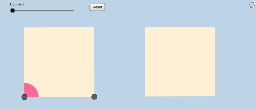
This example demonstrates the investigation of similarity in quadrilaterals, covering core concepts like quadrilateral similarity, angles, area, and transformations. It uses commands such as Polygon, Line, Point, Ray, Vector, Translate, Segment, Circle, Intersect, CircleSector, Dilate, and Rotate to construct and analyze quadrilaterals and their transformations. Suitable for high school mathematics education to explore properties and criteria of similar figures.
GeoGebra Commands & Parameters
Polygon(A, B, 4) → poly1, a, b, c, d, C, DLine(A, B) → ePoint(e) → ERay(B, E) → fPoint(f) → FVector(B, C) → uTranslate(F, u) → F'Point(f) → GRay(F, G) → gPoint(g) → HPoint(Circle[F, Distance[A, B]]) → ISegment(F, I) → hTranslate(H, u) → H'Segment(A, B) → iSegment(D, A) → lCircle(A, (0.2 * i)) → kIntersect(k, i, 1) → JIntersect(k, l, 1) → KCircleSector(A, J, K) → pDilate(A, If[0 < j ≤ 1, 1 - j, 0], B) → A'Dilate(A, If[0 < j ≤ 1, 1 - j, 0], C) → A'_1Dilate(A, If[0 < j ≤ 1, 1 - j, 0], D) → A'_2Dilate(A, If[0 < j ≤ 1, 1 - j, 0], F) → A'_3Dilate(A, If[0 < j ≤ 1, 1 - j, 0], H) → A'_4Dilate(A, If[0 < j ≤ 1, 1 - j, 0], H') → A'_5Dilate(A, If[0 < j ≤ 1, 1 - j, 0], F') → A'_6Vector(A, A') → vVector(A, A'_1) → wVector(A, A'_2) → mVector(A, A'_3) → nVector(A, A'_4) → qVector(A, A'_5) → rVector(A, A'_6) → sTranslate(p, m) → p'Translate(p, s) → p'_2Translate(p, v) → p'_4Translate(p, q) → p'_5Translate(p, n) → p'_6Rotate(p', If[1 < j ≤ 2, (((j - 1) * 3) * π / 2), 4.71238898038469], D) → p''Rotate(p'_4, If[1 < j ≤ 2, ((j - 1) * π / 2), 1.5707963267948966], B) → c_1Rotate(p'_2, If[1 < j ≤ 2, (((j - 1) * 3) * π / 2), 4.71238898038469], F') → d_1Rotate(p'_5, If[1 < j ≤ 2, ((j - 1) * π / 2), 1.5707963267948966], H) → f_1Polygon(F, H, H', F') → poly2, f_2, h_1, h', f'
AI Drawing Prompt Reference
Draw a square, then create a ray from one of its vertices through a point on the opposite side. Place points on this ray and translate them by the square's side vector to form a parallelogram. Add points inside and on edges, connect segments, and draw a circular sector centered at a square vertex. Then dilate several key points from each square vertex using a dynamic scale factor, draw vectors from the original vertex to the dilated points, and translate the sector along these vectors. Finally, rotate the translated sectors by different angles around specific vertices, resulting in a set of rotated sectors and the parallelogram, illustrating similar quadrilaterals and their transformations.
The prompt above was compiled from the original drawing commands and is for reference only.