
Classifying Triangles
Loading the math board and drawing, please wait…
In collections
Euclidean Geometry
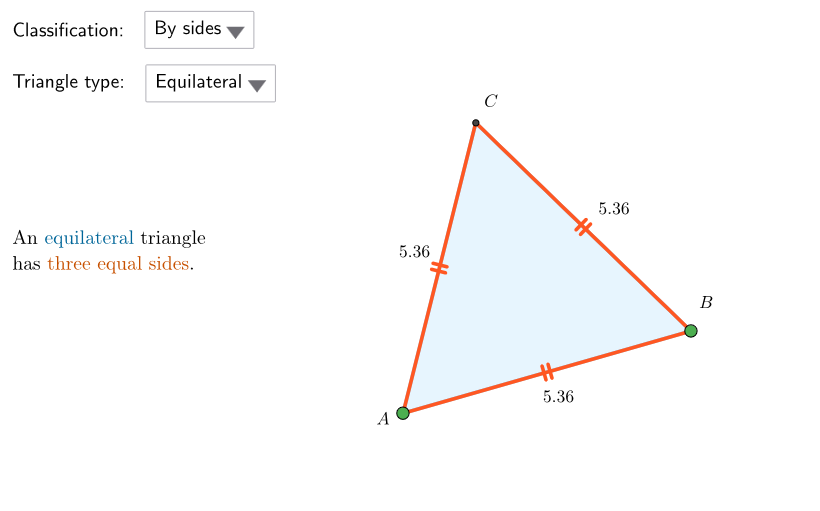
This example demonstrates the classification of triangles based on their sides and angles, and deepens and assesses conceptual understanding through questions. It covers equilateral, isosceles, right, acute, and obtuse triangles, using commands like Point, Polygon, LineBisector, etc. Suitable for middle school and above students learning geometry.
GeoGebra Commands & Parameters
Point(xAxis) → PEEPSTPolygon({PP1, PP2, PP3, PP4}) → peepSelectedIndex(ddClassType) → isClassSelectedIndex(ddAng) → isAngSelectedIndex(ddLati) → isLatiPointIn(peep) → ACircle((0, 0), A) → cPointIn(peep) → BPointIn(peep) → BILineBisector(A, BI) → asseABIPoint(Segment[intAs(1), intAs(2)]) → CIPolygon(A, BI, CI) → triIso, isoABI, isoBICI, isoACIPolygon(A, B, 3) → triEqui, equilAB, equilBC, equilAC, CPointIn(peep) → BSPointIn(peep) → CSPolygon(A, BS, CS) → triScal, scalAB, scalBC, scalACSegment(A, B) → segmABCircle(Midpoint[A + (0.1 * UnitVector[Segment[A, B]]), B - (0.1 * UnitVector[Segment[A, B]])], (0.5 * Distance[A + (0.1 * UnitVector[Segment[A, B]]), B - (0.1 * UnitVector[Segment[A, B]])])) → accOttPointIn(accOtt) → COPolygon(A, B, CO) → triOttu, ottAB, ottBC, ottACInteriorAngles(triOttu) → α, β, γCircle(A, Distance[A, B]) → circABSegment(AAC + (0.2, 0), (x(PP2) - 0.2, y(AAC))) → segmAcuPoint(segmAcu) → BACMidpoint(AAC, BAC) → KDistance(K, BAC) → rCircle(K, r) → circAcuCircle(Midpoint[A, B], (0.5 * Distance[A, B])) → circRettPoint(circRett) → CRPolygon(A, B, CR) → triRett, rettAB, rettBC, rettACInteriorAngles(triRett) → δ, ε, ζOrthogonalLine(B, segmAB) → perpBOrthogonalLine(A, segmAB) → perpAPoint(perpA) → DPoint(perpB) → ESlope(perpA) → sloAPointIn(acutSi) → CAPolygon(AAC, BAC, CA) → triAcu, acuAB, acuBC, acuACInteriorAngles(triAcu) → η, θ, ι
AI Drawing Prompt Reference
Draw a polygon on the coordinate plane as a demonstration area for classifying triangles. Place multiple points inside it to construct different types of triangles: an equilateral triangle, an isosceles triangle, a scalene triangle, a right triangle, an obtuse triangle, and an acute triangle. Each triangle is formed by three vertices and shows its interior angles. Additionally, draw auxiliary circles and perpendicular lines to help determine angle types, such as using a semicircle for a right angle and points on circles for acute or obtuse angles. All triangles should be within the same polygon area with vertices clearly marked.
The prompt above was compiled from the original drawing commands and is for reference only.