
Exploring Rotations in the Coordinate Plane by Tim Brzezinski (3)
Loading the math board and drawing, please wait…
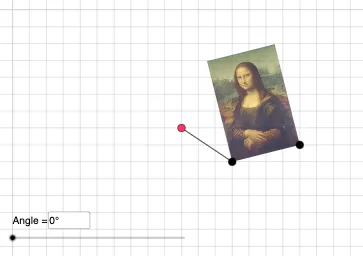
This GeoGebra example demonstrates how to perform rotation transformations in the coordinate plane. Users can drag the rotation center point O and adjust the rotation angle slider to observe how square ABCD rotates around point O by a specified angle. The core mathematical concepts include: properties of rotation transformations, relationships between rotation angles and quadrants, and coordinate representation of vector translation and rotation. Construction key points: use the Vector command to construct initial vectors, Translate for translation, Rotate for rotation around a point, Mirror for reflection, Dilate for dilation, combined with CircleArc, Line, Segment and other tools for auxiliary lines. Suitable for middle to high school mathematics teaching, useful for understanding geometric transformation concepts and mastering coordinate methods for studying rotation problems.
GeoGebra Commands & Parameters
Vector(D, E) → uTranslate(pic1, u) → pic1'Translate(B, u) → B'_{4}Translate(C, u) → C'_{4}Vector(B, B'_{4}) → vRotate(C, δ, O) → C'CircleArc(O, C', C) → cCircleArc(O, C, C') → dCircle(O, C) → eLine(F, G) → fMirror(pic1, f) → pic1'_2Mirror(B, f) → B'_2Mirror(C, f) → C'_2Dilate(pic1, k, O) → pic1'_3Dilate(B, k, O) → B'_3Dilate(C, k, O) → C'_3Rotate(B, δ, O) → B'Rotate(pic1, δ, O) → pic1'_1Circle(O, C) → pCircleArc(O, C', C) → rTextfield(δ) → InputBox1Textfield(k) → InputBox2Intersect(q, eq1) → HSegment(O, B) → lSegment(B', O) → sAngle(B, O, B') → ε
AI Drawing Prompt Reference
Draw a square on a coordinate plane with a draggable rotation center point and an adjustable rotation angle. Translate the square by a given vector to create a translated copy, then rotate the square around the center by the specified angle, showing arcs and connecting lines between corresponding vertices. Also reflect the square across a line and dilate it from the center with a scale factor. Use auxiliary lines to indicate the rotation angle, translation vector, and scale factor, and include two input boxes to control the angle and scale dynamically.
The prompt above was compiled from the original drawing commands and is for reference only.