
Exploring Rectangle Area
Loading the math board and drawing, please wait…
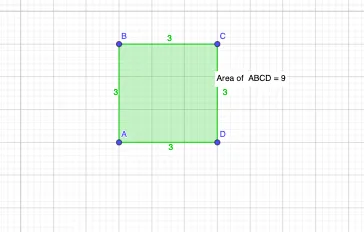
This example demonstrates exploring the area of a rectangle through geometric construction. Key mathematical concepts include the area calculation formula for rectangles and coordinate geometry. Using the Polygon command to draw a rectangle and the PointIn command to add points, the area changes can be visually demonstrated. Suitable for middle school and above students to learn geometry and area calculation.
GeoGebra Commands & Parameters
Polygon(A, B, C, D) → q1, a, b, c, dPointIn(q1) → Pointq1
AI Drawing Prompt Reference
Draw a rectangle and visually demonstrate the change in its area by adding points on its sides, using geometric construction to illustrate the formula for calculating the area of a rectangle, suitable for middle school students learning geometry and area calculation.
The prompt above was compiled from the original drawing commands and is for reference only.