
Drawing a Rectangle
Loading the math board and drawing, please wait…
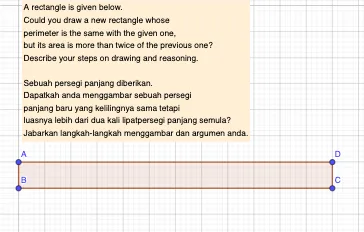
This example demonstrates how to draw a rectangle and calculate its area using GeoGebra. Key math concepts include polygons, line segments, geometric construction, and coordinate geometry. The construction uses commands like Polygon and objects such as text1, A, B, C, D, q1, a, b, c, d for labeling and computation. Suitable for middle school students and teachers for learning and demonstration purposes.
GeoGebra Commands & Parameters
Polygon(A, B, C, D) → q1, a, b, c, d
AI Drawing Prompt Reference
Draw a rectangle by connecting four points to form a closed polygon, label the four vertices and the inner area to demonstrate the geometric construction process and coordinate geometry relationships.
The prompt above was compiled from the original drawing commands and is for reference only.