
Exploring Power Functions Graphs
Loading the math board and drawing, please wait…
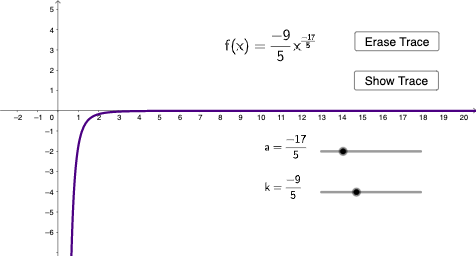
This example demonstrates the graphing behavior and properties of power functions. Key math concepts include power function definitions, natural numbers, percentage changes, triangle areas, differential equations, and parabolas. GeoGebra commands used are Remove (to delete objects), If (for conditional logic), with objects like l1 (graph), a (parameter), k (coefficient), f (function), button1 (button), ff (hide trace), showtrace (show trace), button2 (button), A (point), and text elements. Suitable for high school and above students to understand power function characteristics and parameter effects.
GeoGebra Commands & Parameters
Remove(Sequence[u, u, -6, 6, 0.1], {0}) → l1If(showtrace, (1, Element[l1, k])) → A
AI Drawing Prompt Reference
Plot a graph of a power function with x ranging from -6 to 6, taking values every 0.1, excluding the origin. When the button is clicked, show a point with its x-coordinate ranging from -6 to 6 and its y-coordinate as the corresponding value of the power function.
The prompt above was compiled from the original drawing commands and is for reference only.