
Exploring Parabola Construction and Properties
Loading the math board and drawing, please wait…
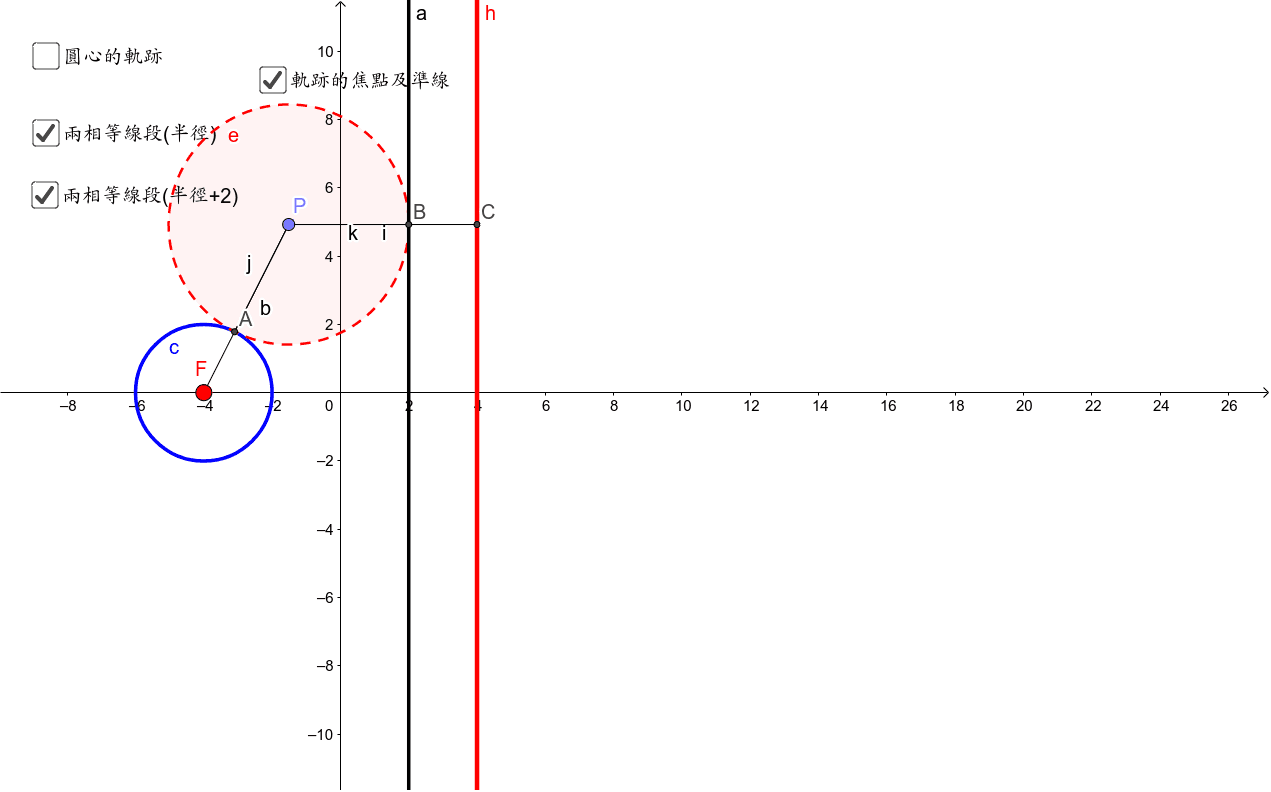
This example demonstrates the shape and key properties of a parabola generated by a quadratic function. It involves core concepts such as polynomial functions, sequences, series, and upper/lower Riemann sums. The construction uses GeoGebra commands like Point, Segment, Intersect, Circle, and OrthogonalLine, with objects c, a, d, M, etc., to build the curve. It is suitable for high‑school algebra and university‑level calculus students, providing an interactive way to explore parabolic geometry and analytical techniques.
GeoGebra Commands & Parameters
Point(d) → PSegment(M, P) → bIntersect(c, b, 1) → ACircle(P, A) → eOrthogonalLine(P, a) → gIntersect(e, a, 1) → BIntersect(g, h) → CSegment(P, C) → iSegment(P, A) → jSegment(P, B) → k
AI Drawing Prompt Reference
Draw a parabola generated by a quadratic function, showcasing its shape and key properties. Start by identifying a point, then draw a line segment connecting it to another point. Find the intersection of a curve with this segment and draw a circle using this intersection point and the original point. Next, draw a line through the original point and find its intersection with the circle. Then, find the intersection of a perpendicular line from the original point to another line. Finally, draw line segments from the original point to these intersection points to illustrate the construction of the parabola.
The prompt above was compiled from the original drawing commands and is for reference only.