
Exploring Complementary Angles: Finding the Measure of an Angle
Loading the math board and drawing, please wait…
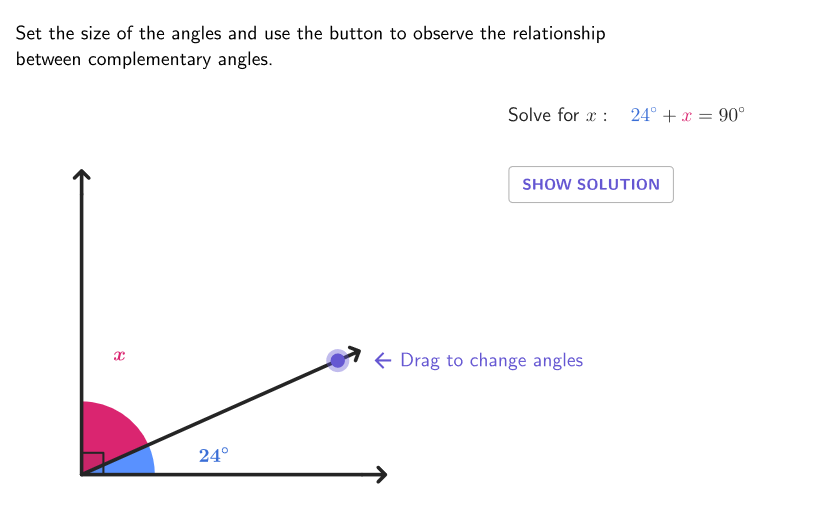
This example demonstrates how to discover the measure of a complementary angle through an interactive activity. Key mathematical concepts include the definition of complementary angles, angle properties, and construction techniques. The construction involves using GeoGebra commands such as Point, Intersect, Angle, etc. to create angles and geometric figures. Suitable for middle school geometry teaching, particularly for grades 6-8, to help students understand angle relationships and solve related problems.
GeoGebra Commands & Parameters
Point(yAxis) → DPoint(xAxis) → BIntersect(xAxis, yAxis) → ASequence(Rotate[B, (t * pi / 180), A], t, 0, 90) → pGridPoint(pGrid) → PAngle(P, A, D) → γAngle(B, A, P) → βPoint(xAxis) → CPoint(yAxis) → ECircleArc(A, B, D) → arcPSegment(A, P) → fSegment(A, B) → gSegment(B, C) → hSegment(P, G) → iSegment(A, D) → jSegment(D, E) → kAngle(B, A, D) → αPoint(xAxis) → HIntersect(xAxis, yAxis) → IUnitVector(AngularBisector[H, I, F]) → versBisBlueMidpoint(H, F) → MHFMidpoint(F, J) → MFJUnitVector(AngularBisector[F, A, J]) → versBisPinkcirclePixels(P, 7 + (7 * pulsing), Corner[1], Corner[3], Corner[5]) → pulsingObject
AI Drawing Prompt Reference
In a coordinate plane, draw the axes intersection and choose the key points on each axis that define a right-angle setting. Create a point P that moves along a rotating arc from the horizontal direction to the vertical direction, corresponding to angles spanning from 0 to 90 degrees. Using A as the vertex, construct two angle regions defined by the rays from A through D and from A through P, as well as the angle between the rays from A through B and from A through D. Draw the circle arc passing through A, B, and D, and add segments connecting A to P, A to B, and B to the point on the rotated arc, along with segments from A to D and from D to another point E on the vertical axis. Include additional connecting segments to complete the complementary-angle diagram and add a subtle pulsing circular highlight near P for emphasis.
The prompt above was compiled from the original drawing commands and is for reference only.