
Exploring Binomial Coefficient Symmetry
Loading the math board and drawing, please wait…
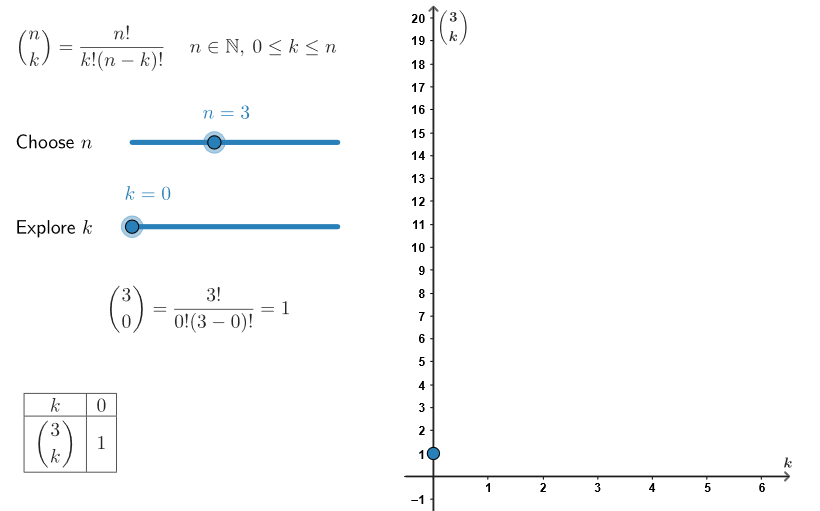
This example demonstrates the symmetry of binomial coefficient values through visual means. Key math concepts include combinatorics, symmetry, ratios, integral calculus, variance, intersection, and standard deviation. It utilizes GeoGebra commands like Polygon, Segment, nCr, Sequence, TableText, PolyLine, and objects such as textQuestion, textAllIn, P1, P1', P1'', peep, p1, p1', p1'', p1''' for construction. Suitable for high school and above, helping learners understand symmetry in combinatorial mathematics and probability statistics.
GeoGebra Commands & Parameters
Polygon(P1, P1', P1'', P1''') → peep, p1, p1', p1'', p1'''Segment((x(P1), 0), (x(P1'), 0)) → fakeXSegment((0, y(P1)), (0, y(P1''))) → fakeYnCr(n, k) → binomialeSequence(nCr[n, t], t, 0, k) → binomListSequence(t, t, 0, k) → kListTableText({Join[{{"k"}, kList}], Join[{{(("\binom{" * n) * "}{k}")}, binomList}], "c|_"}, "c|_") → binomDinamSequence((kList(t), binomList(t)), t, 1, k + 1) → allVertPolyLine(allVert) → pathSequence(Segment[(0, k), (6.2, k)], k, 0, 20) → hgridSequence(Segment[(k, 0), (k, 20)], k, 0, 6) → vGrid
AI Drawing Prompt Reference
This is a graphic that explores the symmetry of binomial coefficients. The graphic consists of points representing binomial coefficient values. These points are connected by line segments to form a path. The graphic also includes horizontal and vertical grids to aid in observing symmetry. The construction order is to first draw the points, then connect them, and finally add the grids. The overall graphic helps understand the symmetry concept in combinatorial mathematics.
The prompt above was compiled from the original drawing commands and is for reference only.