
Explore Factors in a + b = c
Loading the math board and drawing, please wait…
In collections
Complex Math
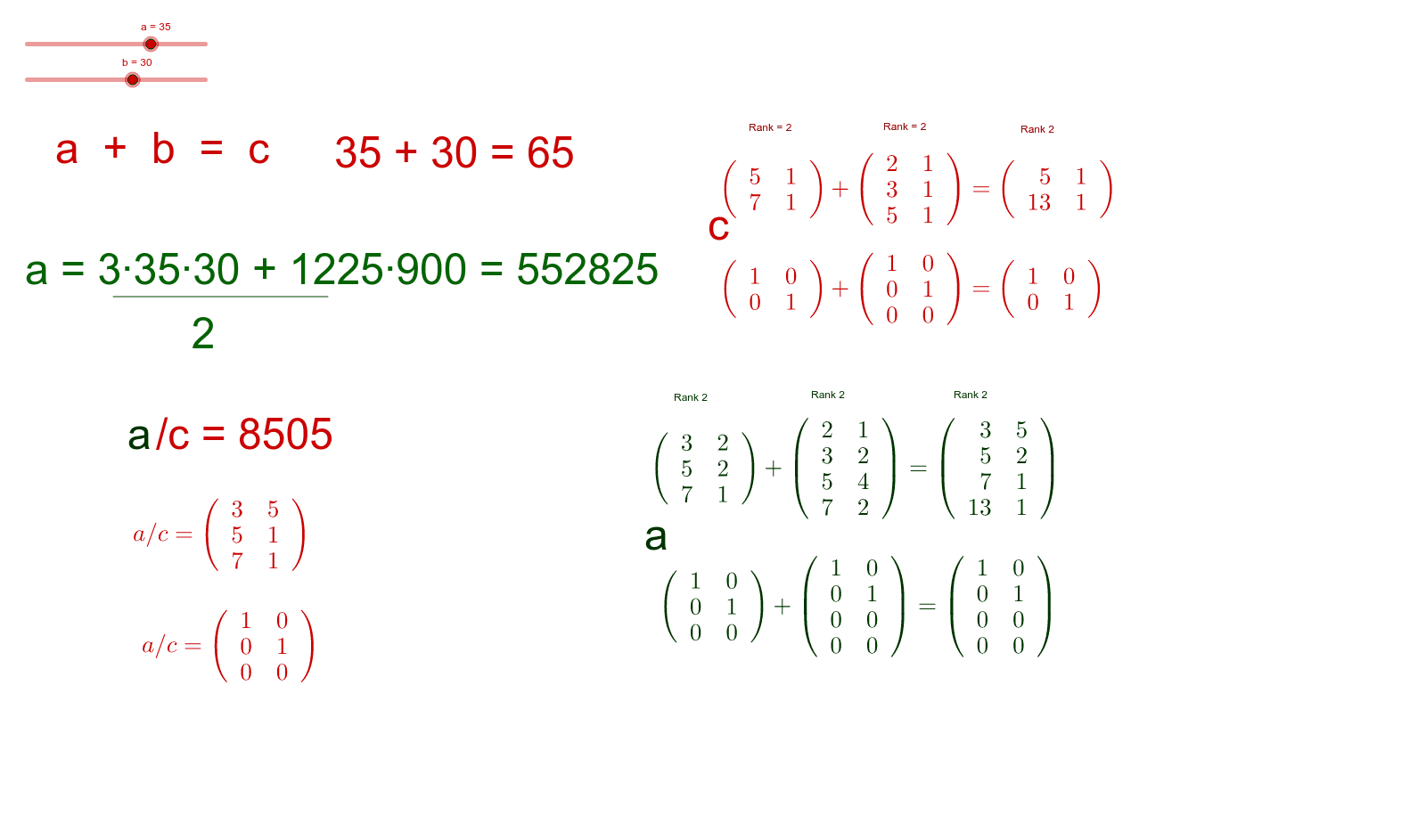
This example demonstrates how to understand the components of the algebraic expression a + b = c through geometric figures. Key mathematical concepts include terms, factors, and sums. GeoGebra commands such as Factors, Segment, and MatrixRank are used to construct the figures. Suitable for middle school and above students to learn algebra and geometry.
GeoGebra Commands & Parameters
Factors(a) → matrix1Factors(b) → matrix2Factors(c) → matrix3Segment(A, B) → gFactors(h) → matrix4Factors(i) → matrix5Factors(d) → matrix6MatrixRank(matrix1) → jMatrixRank(matrix2) → kMatrixRank(matrix3) → lMatrixRank(matrix4) → mMatrixRank(matrix5) → nMatrixRank(matrix6) → oReducedRowEchelonForm(matrix1) → matrix7ReducedRowEchelonForm(matrix2) → matrix8ReducedRowEchelonForm(matrix3) → matrix9ReducedRowEchelonForm(matrix4) → matrix10ReducedRowEchelonForm(matrix5) → matrix11ReducedRowEchelonForm(matrix6) → matrix12Factors(p) → matrix13ReducedRowEchelonForm(matrix13) → matrix14