
Estimating Products of Decimals Using Area Models
Loading the math board and drawing, please wait…
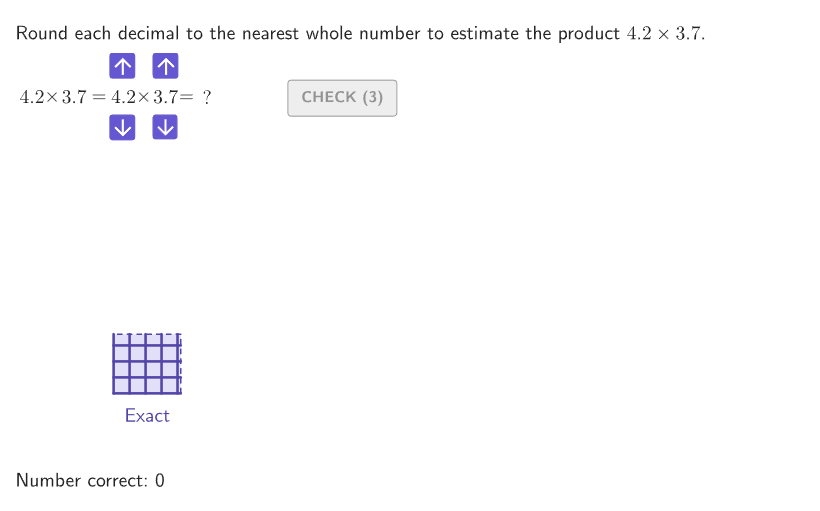
This example demonstrates how to estimate the product of decimals using area models, helping students understand estimation techniques in multiplication. The key mathematical concepts include decimal multiplication, area models, and estimation methods. Construction involves using GeoGebra commands like Shuffle, If, Mod, Polygon, etc., to create random integers and tenths, and comparing area models to check accuracy. Suitable for grades 6-8 in classroom settings or homework assignments for math teaching.
GeoGebra Commands & Parameters
Shuffle(Join[Sequence[{A, A, A, A, A, A, A, A, A, A}, A, 2, 9]]) → randomIntegers, {3, 3, 4, 3, 2, 2, 6, 7, 3, 5, 4, 8, 6, 7, 5, 9, 7, 9, 4, 6, 8, 9, 9, 3, 4, 7, 5, 6, 8, 4, 6, 5, 9, 7, 8, 5, 4, 7, 7, 6, 4, 7, 2, 8, 3, 4, 9, 6, 9, 3, 2, 5, 8, 7, 5, 6, 8, 7, 4, 2, 2, 6, 3, 2, 3, 8, 9, 8, 4, 5, 9, 5, 9, 8, 2, 2, 2, 6, 3, 5}Shuffle(Join[Sequence[{A, A, A, A, A, A, A, A, A, A}, A, 2, 9]]) → randomTenths, {8, 6, 2, 7, 5, 7, 8, 2, 6, 3, 2, 9, 4, 4, 8, 5, 8, 4, 7, 6, 4, 8, 8, 3, 7, 2, 2, 6, 2, 6, 9, 4, 7, 2, 7, 6, 3, 9, 5, 9, 9, 4, 8, 3, 5, 3, 7, 4, 8, 2, 9, 5, 9, 3, 3, 5, 7, 3, 3, 6, 4, 4, 9, 9, 8, 3, 8, 9, 5, 7, 6, 6, 5, 7, 2, 5, 6, 5, 4, 2}If(IsInteger[studentA] ∧ IsInteger[studentB], (studentA * studentB), NaN) → studentProductMod(1 + (2 * countQuestion), Length[randomIntegers] - 2) → currentIndexIf(showsolution ∨ showanswer, numBRounded, studentB) → displayBIf(showsolution ∨ showanswer, numARounded, studentA) → displayAPolygon({AnchorStudent, AnchorStudent + (studentA, 0), AnchorStudent + (studentA, studentB), AnchorStudent + (0, studentB)}) → displayEstimateElement(randomTenths, Mod[countQuestion, 15] + 1) → randomNum2Element(randomIntegers, Mod[countQuestion, 20] + 1) → randomNum1Polygon({AnchorQuestion, AnchorQuestion + (numberA, 0), AnchorQuestion + (numberA, numberB), AnchorQuestion + (0, numberB)}) → displayAreaTextfield(studentAns) → aInputIf(isTypicalError1, 1, If[isTypicalError, 2, 2]) → errorNumberSequence(Segment[Vertex[displayArea, 1] + (0, A), Vertex[displayArea, 2] + (0, A)], A, 0, numberB) → gridHorizSequence(Segment[Vertex[displayArea, 1] + (A, 0), Vertex[displayArea, 4] + (A, 0)], A, 0, numberA) → gridVertPolygon({AnchorSample, AnchorSample + (numARounded, 0), AnchorSample + (numARounded, numBRounded), AnchorSample + (0, numBRounded)}) → displaySampleSequence(Segment[Vertex[displaySample, 1] + (0, A), Vertex[displaySample, 2] + (0, A)], A, 0, numBRounded) → gridSampleHorizontalSequence(Segment[Vertex[displaySample, 1] + (A, 0), Vertex[displaySample, 4] + (A, 0)], A, 0, numARounded) → gridSampleVerticalText("Typical\\Estimate", Midpoint[Vertex[displaySample, 1], Vertex[displaySample, 2]] + (0, -0.2), true, true, 0, -1) → lblSampleText("Your\\Estimate", Midpoint[Vertex[displayEstimate, 1], Vertex[displayEstimate, 2]] + (0, -0.2), true, true, 0, -1) → lblEstimateZip(Text[("" * A), Anchor + (B, 0), true, true, 0, 0], A, {("" * numberA), "~\times~", ("" * numberB), If[initializedA ∨ initializedB, "\approx", "="], ("" * If[initializedA, studentA, numberA]), "~\times~", ("" * If[initializedB, studentB, numberB]), "=", ("" * If[initialized, "", NaN])}, B, (1.3 * {1, 2, 3, 4.2, 5.4, 6.4, 7.4, 8.4, 9.4})) → textExpressionSequence(Segment[Vertex[displayEstimate, 1] + (0, A), Vertex[displayEstimate, 2] + (0, A)], A, 0, studentB) → gridEstimateHorizontalSequence(Segment[Vertex[displayEstimate, 1] + (A, 0), Vertex[displayEstimate, 4] + (A, 0)], A, 0, studentA) → gridEstimateVerticalPolyLine({AnchorQuestion + (numberA, 0), AnchorQuestion + (numberA, numberB), AnchorQuestion + (0, numberB)}) → exactEdgesText("Exact", Midpoint[Vertex[displayArea, 1], Vertex[displayArea, 2]] + (0, -0.2), true, true, 0, -1) → lblExact
AI Drawing Prompt Reference
Create a coordinate-plane diagram with three adjacent area models for decimal multiplication. Draw the exact rectangle in one section using integer-based side lengths and subdivide it with horizontal and vertical grid lines matching those side lengths. Next, draw a typical estimate rectangle in the middle with its own grid-aligned width and height based on chosen integer tenths counts, and outline it as a polygon like the exact one. Then draw your estimate rectangle in the third section, again using grid-aligned width and height from your entered integer counts, matching the same style. Add clear labels under the rectangles: “Exact”, “Typical Estimate”, and “Your Estimate”, so the estimate rectangles can be visually compared to the exact rectangle.
The prompt above was compiled from the original drawing commands and is for reference only.