
Estimate Gas Mileage
Loading the math board and drawing, please wait…
In collections
CCGPS CA Unit 4 Lesson 2
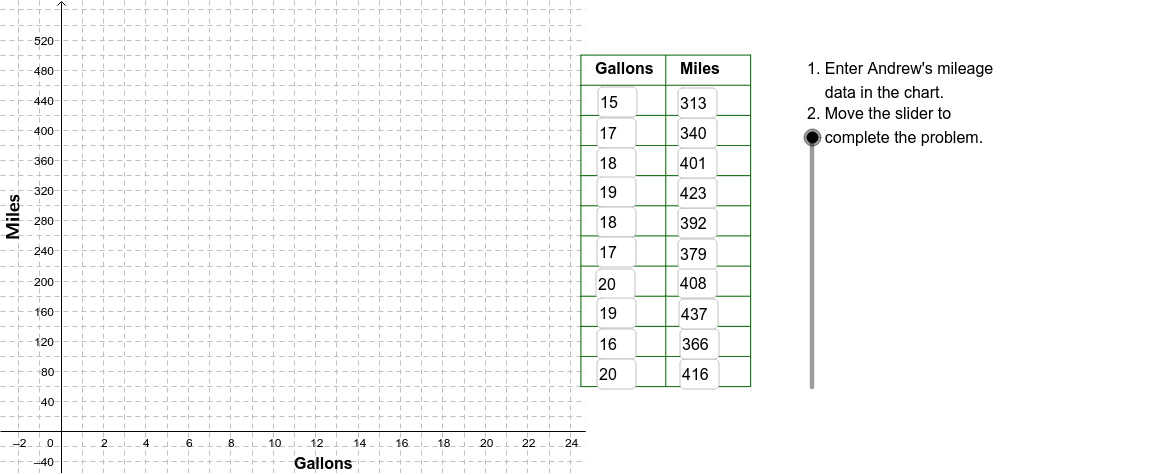
This example demonstrates how to estimate a car's fuel efficiency by recording the amount of gas purchased and the total miles driven. Key math concepts include linear equations and functions. It uses GeoGebra commands like Corner, Polygon, Textfield, etc. Suitable for middle school students learning about linear relationships and functions.
GeoGebra Commands & Parameters
Corner(2) → Corn2Corner(3) → Corn3Polygon(Corn1, Corn2, Corn3, Corn4) → poly1, corn1, corn2, corn3, corn4Textfield(A2) → InA2Textfield(A3) → InA3Textfield(A4) → InA4Textfield(A5) → InA5Textfield(A6) → InA6Textfield(A7) → InA7Textfield(A8) → InA8Textfield(A9) → InA9Textfield(A10) → InA10Textfield(A11) → InA11Textfield(B11) → InB11Textfield(B10) → InB10Textfield(B9) → InB9Textfield(B8) → InB8Textfield(B7) → InB7Textfield(B6) → InB6Textfield(B5) → InB5Textfield(B4) → InB4Textfield(B3) → InB3Textfield(B2) → InB2Sequence(Segment[(24.5, 60 + 40 * j), (32.5, 60 + 40 * j)], j, 0, 11) → LnListSequence(Segment[(24.5 + 4 * j, 60), (24.5 + 4 * j, 500)], j, 0, 2) → LnList2Point(a) → mpg10Line((0, 0), mpg10) → Lmpg10Line((0, 0), mpg22) → Lmpg22VerticalText("Miles") → LabelMiles