
Equivalent Fractions Practice
Loading the math board and drawing, please wait…
In collections
Level 3 Working with fractions
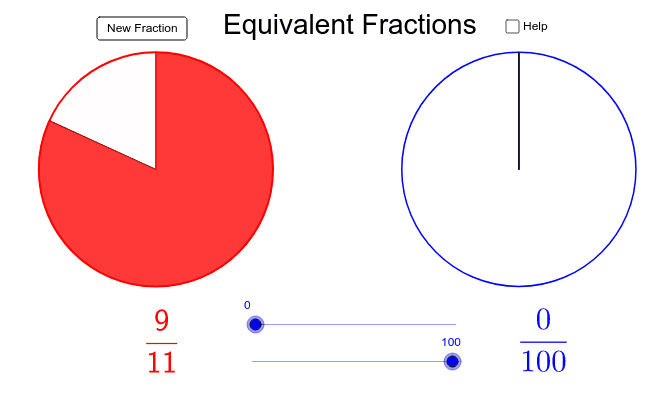
This example demonstrates the graphical construction of equivalent fractions, involving core math concepts like fraction properties and geometric representations. It utilizes GeoGebra commands such as Random, If, FractionText, Intersect, and geometric objects like Points, Circles, and Segments. Ideal for middle school math education to practice fraction skills.
GeoGebra Commands & Parameters
Random(1, 20) → bRandom(1, 20) → aIf(a ≥ b, b / a, a / b) → fractionFractionText(fraction) → text1If(a ≥ b, (b / a * 360)°, (a / b * 360)°) → angleIntersect(xAxis, yAxis) → APoint(yAxis) → BCircle(A, B) → cPoint(c) → CSegment(A, C) → dRotate(A, -angle, A) → A'Rotate(C, -angle, A) → C'Segment(A', C') → d'CircleSector(A, C', C) → ePoint(e) → DPoint(e) → EPoint(xAxis) → FCircle(F, G) → fSegment(F, G) → gRotate(F, -angle2, F) → F'Rotate(G, -angle2, F) → G'Segment(F', G') → g'Intersect(f, g, 1) → HCircleSector(F, G', H) → k
AI Drawing Prompt Reference
Draw a geometric figure for practicing equivalent fractions. Start with two random numbers, take the smaller divided by the larger to get a fraction, and display its text. Place a circle centered at the origin, pick a point on it, and draw a radius. Rotate this radius by the angle corresponding to the fraction to create a sector. Pick two points inside this sector. Then, on the horizontal axis, choose a point as a new center, draw a circle with radius to another point, and draw a radius. Rotate this radius by the same angle to form another sector. Finally, mark the intersection between the two sectors to show the equivalence of fractions.
The prompt above was compiled from the original drawing commands and is for reference only.