
Equations of Circles: Geometric Construction
Loading the math board and drawing, please wait…
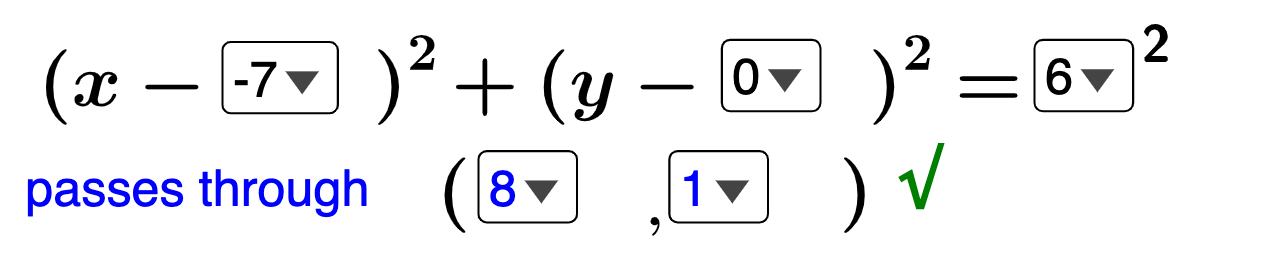
This example demonstrates how to derive the equation of a circle through geometric construction. Key mathematical concepts include the definition of a circle, coordinate geometry, geometric construction, and function relationships. Construction involves using GeoGebra commands such as Sequence, Midpoint, Length, etc., to create the center, radius, and equation. Suitable for middle or high school mathematics learning to understand the geometric properties and algebraic representation of circles.
GeoGebra Commands & Parameters
Sequence(i, i, -9, 9, 1) → hlistSequence(i, i, 0, 9, 1) → tenslistSequence(i, i, -9, 9, 1) → klistSequence(i, i, -9, 9, 1) → xlistSequence(i, i, -9, 9, 1) → ylistSelectedElement(hlist) → HSelectedElement(klist) → KSelectedElement(xlist) → xcSelectedElement(ylist) → ycSelectedElement(tenslist) → tensdigitSequence(i, i, 1, 9, 1) → oneslistSelectedElement(oneslist) → onesdigitCenter(eq1) → BPoint(eq1) → CSegment(B, C) → fMidpoint(f) → DLength(Mode[l1]) → bIf(b ≟ 0, "√", "×") → text5Polygon(B, E, A) → t1, a_1, b_1, eSegment(A, B) → gSegment(B, E) → hSegment(A, E) → iAngle(A, E, B) → α
AI Drawing Prompt Reference
Draw a geometrically constructed circle to demonstrate how to derive its equation. Start by plotting coordinate axes and a grid, then select a center point and points on the circumference to form line segments. Calculate the midpoint and length of the segments, using dashed lines for the radius. Next, construct a triangle involving the center, a circumference point, and the origin, labeling the angles. Finally, connect key points with solid lines to complete the geometric construction and its algebraic representation.
The prompt above was compiled from the original drawing commands and is for reference only.