
Equation of a Line in 'a' - Dynamic Exploration
Loading the math board and drawing, please wait…
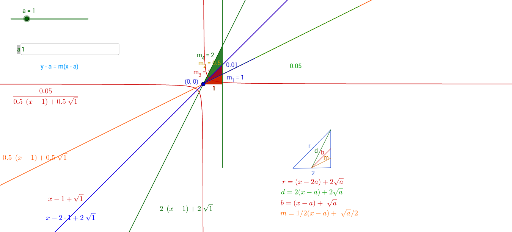
This GeoGebra example demonstrates how the equation of a line changes with a parameter 'a', linking algebraic form to geometric visualization. Core concepts include linear equations, slope, intercepts, and parametric variation. The construction uses commands such as Slope, Point, Segment, Polygon, and Textfield, creating multiple points, segments, polygons, and dynamic text objects. The parameter 'a' is adjustable via an input box or slider, driving changes in lines f, g, h, etc. Suitable for middle and high school coordinate geometry lessons, this interactive tool helps students grasp the role of parameters in line equations and fosters dynamic, visual learning.
GeoGebra Commands & Parameters
Slope(f) → m_4Slope(h) → m_1Slope(p) → m_2Slope(g) → m_3Point(i) → BPoint(i) → ASegment(B, A) → jPoint(h) → FPoint(p) → EPoint(p) → DPolygon(F, E, D) → poly1, d_1, f_1, eTextfield(a) → InputBox1Point(p) → GPolygon(F, G, E) → poly2, e_1, f_2, g_1Segment(H, I) → kPoint(Circle[I, 2]) → JSegment(I, J) → lPoint(l) → KPoint(l) → LSegment(H, J) → rSegment(M, J) → dSegment(M, K) → bSegment(M, L) → m