
Enlargement
Loading the math board and drawing, please wait…
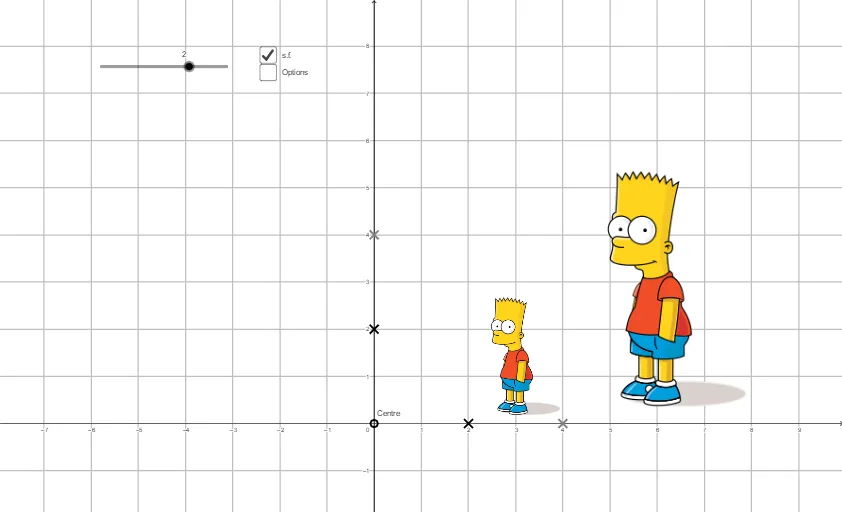
This example demonstrates the concept of enlargement (similarity transformation). Using the Dilate command in GeoGebra, it visually illustrates how a figure is scaled at different scale factors. Construction highlights include the use of the Dilate command for enlargement, Line command for auxiliary lines, and Polygon command for polygons. Suitable for middle school and above students to learn about similarity transformations and geometric constructions.
GeoGebra Commands & Parameters
Dilate(object, scale, Centre) → imageLine(Centre, point2) → line2Line(Centre, point1) → line1Dilate(point1, scale, Centre) → point1'Dilate(point2, scale, Centre) → point2'Dilate(pointA, scale, Centre) → pointA'Dilate(pointB, scale, Centre) → pointB'Dilate(pointC, scale, Centre) → pointC'Dilate(pointD, scale, Centre) → pointD'Dilate(pointE, scale, Centre) → pointE'Dilate(pointF, scale, Centre) → pointF'Polygon(pointA, pointB, pointC, pointD, pointE, pointF) → poly1, pointa, pointb, pointc, pointd, pointe, pointfPolygon(pointA', pointB', pointC', pointD', pointE', pointF') → poly2, pointa', pointb', pointc', pointd', pointe', pointf'Vector(Centre, point1') → vVector(Centre, point1) → uMidpoint(Centre, point1) → AMidpoint(Centre, point1') → BMidpoint(A, point1) → CMidpoint(point1, point1') → D
AI Drawing Prompt Reference
Draw a hexagon and its enlarged version. Start by selecting a center point as the enlargement center. Then, choose the six vertices of the hexagon and use the Dilate command with different scale factors to create new vertices. Connect these new vertices to form the enlarged hexagon. Finally, draw lines from the center to the original vertices and their corresponding enlarged vertices, and the midpoints of these lines.
The prompt above was compiled from the original drawing commands and is for reference only.