
Directed Numbers
Loading the math board and drawing, please wait…
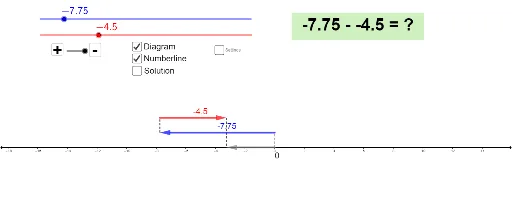
This example illustrates the concept of directed numbers and their applications. Key mathematical concepts include positive and negative numbers and their representation on a number line. Using arrows to represent directed numbers, students can visually understand the addition and subtraction of directed numbers. The construction summary uses arrow height, vectors, segments, and text fields in GeoGebra. Suitable for middle school and above students to learn about directed numbers.
GeoGebra Commands & Parameters
Intersect(xAxis, yAxis) → EVector(A, B) → uVector(C, D) → vVector(E, F) → wSegment(E, A) → fSegment(B, C) → gSegment(D, F) → hTextfield(min) → InputBox1Textfield(max) → InputBox2Textfield(Increment) → InputBox3Textfield(arrowheight) → InputBox4
AI Drawing Prompt Reference
Draw x and y axes intersecting at a point. Represent vectors from the origin to point B, from point C to D, and from E to F as arrows labeled u, v, w. Connect the intersection point to the origin, and points B to C, D to F, forming line segments. Add input fields for minimum value, maximum value, increment, and arrow height, along with corresponding text labels.
The prompt above was compiled from the original drawing commands and is for reference only.