
Ellipse - Semiaxes
Loading the math board and drawing, please wait…
In collections
The GeoGebra's Toolbox for Teachers and Students
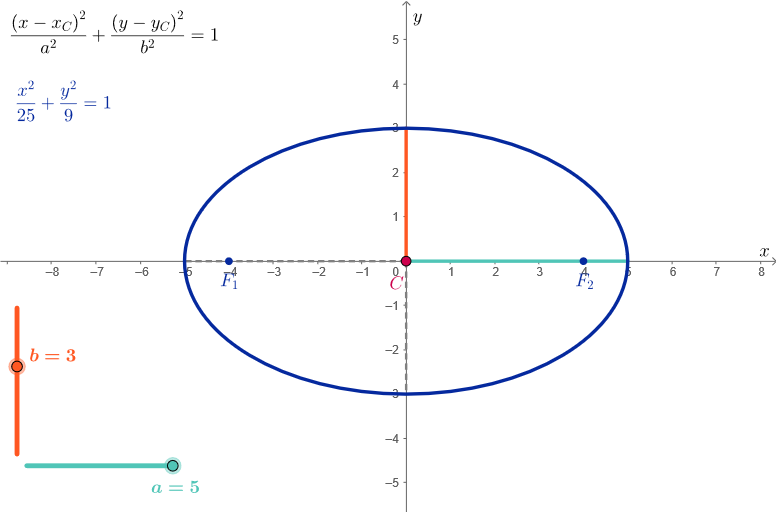
This example demonstrates how to construct an ellipse using GeoGebra, showcasing the basic properties of an ellipse. Key math concepts include the definition of an ellipse, semi-major and semi-minor axes, and foci. Construction points include using the Focus and Segment commands, creating semi-major and semi-minor axes, and foci objects. Suitable for middle school or high school math classrooms, for teaching and learning basic concepts of ellipses.
GeoGebra Commands & Parameters
Focus(k) → F1, F2Segment(C, C + (a, 0)) → horSemiSegment(C, C + (0, b)) → verSemiSegment(C, C - (0, b)) → verSemiNSegment(C, C - (a, 0)) → horSemiN
AI Drawing Prompt Reference
Draw an ellipse. The ellipse has two foci, F1 and F2. The major and minor axes are represented by their semi-major and semi-minor axes. Construct by first determining the foci, then drawing the axes, and finally connecting the points to form the ellipse.
The prompt above was compiled from the original drawing commands and is for reference only.