
Ellipse Intersection and Coordinate Construction
Loading the math board and drawing, please wait…
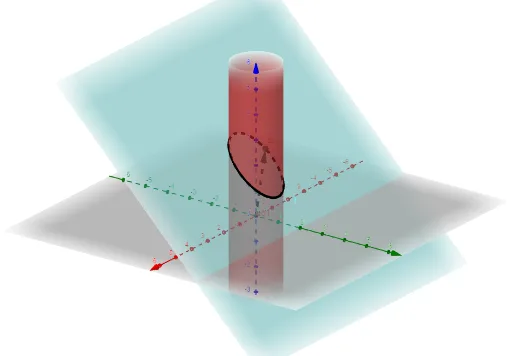
This example demonstrates how to construct and analyze intersection points arising from ellipse-related curves in a dynamic geometry setting. It focuses on key ideas of ellipse curves (as Cartesian/parametric definitions), locating curve intersections, and expressing geometry with vectors in coordinate geometry. Conceptually, the construction can be paired with transformation-based reasoning (e.g., rotation and parallelogram-induced correspondences) to reveal similarity-like relationships near the intersection. In GeoGebra, the construction leverages the commands and objects from the provided summary: Vector to build direction/position vectors (using objects such as t, u, and points A, a), and CurveCartesian to define the relevant Cartesian curves via their equations/functions (objects eq1 and f). This enables the viewer to see how the intersection configuration is determined by the underlying equations and vector-defined setup. Suitable for advanced secondary school, pre-university analytic geometry, and for learners practicing GeoGebra curve modeling and intersection workflows.
GeoGebra Commands & Parameters
Vector(A) → uCurveCartesian(cos(t), sin(t), 2 - sin(t), t, 0, (2 * π)) → a
AI Drawing Prompt Reference
Draw in the coordinate plane two parametric curves. For the first curve, use points given by (cos(t), sin(t)) and show it for t from 0 to 2π. For the second curve, use the same parameter and define points as (cos(t), 2 − sin(t)), also over t from 0 to 2π. Include a vector u constructed from a given point A, starting at A to indicate the direction/position used to describe coordinate relationships near the intersections. Focus on the intersection configuration between the two curves within the drawn parameter interval.
The prompt above was compiled from the original drawing commands and is for reference only.