
Dynamic Relationship Between a Parallelogram's Diagonal and Special Circles
Loading the math board and drawing, please wait…
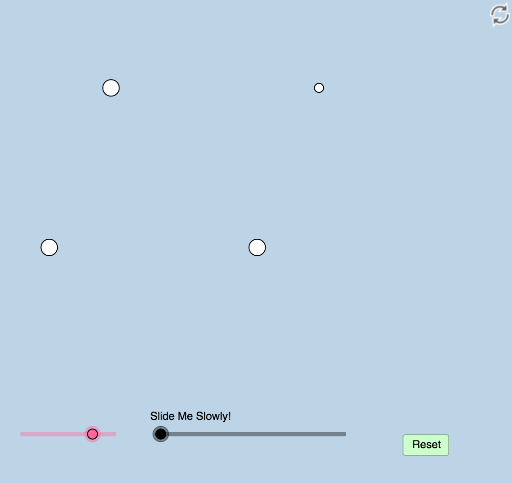
This example demonstrates the dynamic and modifiable relationship among one diagonal of a parallelogram and two special circles, such as incircle and circumcircle. Key math concepts include circle, polygon, coordinate geometry, geometric construction, and transformation. It utilizes GeoGebra commands like Rotate, Angle, Ray, Line, Point, Intersect, Segment, Min, Circle, Dilate, CircleSector, Vector, Translate, Polygon, Midpoint, LineBisector, OrthogonalLine, and Distance. Suitable for high school mathematics education to explore the intrinsic connections and dynamic variations in geometric figures.
GeoGebra Commands & Parameters
Rotate(B, a°, A) → B'Angle(B, A, B') → αRay(A, B) → fRay(A, B') → gLine(B, g) → hPoint(g) → CLine(C, f) → iIntersect(h, i) → DSegment(C, D) → jSegment(A, B) → kSegment(B, D) → lSegment(A, C) → mMin(m, k) → bCircle(C, (0.2 * b)) → dCircle(A, (0.2 * b)) → eCircle(B, (0.2 * b)) → pCircle(D, (0.2 * b)) → cIntersect(e, k, 1) → EIntersect(e, m, 1) → FIntersect(p, k, 1) → GIntersect(p, l, 1) → HIntersect(d, g, 2) → IRay(C, I) → qIntersect(c, h, 2) → JRay(D, J) → rIntersect(c, i, 2) → KRay(D, K) → sDilate(A, If[0 < o ≤ 1, 1 - o, 0], B) → A'Segment(A, A') → tRotate(E, If[1 < o ≤ 2, ((o - 1) * α), α], A) → E'CircleSector(A, E, E') → c_1Dilate(A, If[2 < o ≤ 3, 3 - o, 0], C) → A'_1Vector(A, A'_1) → uTranslate(c_1, u) → d_1Segment(A, A'_1) → f_1Dilate(C, If[3 < o ≤ 4, 4 - o, 0], D) → C'Vector(C, C') → vTranslate(d_1, v) → e_1Segment(C, C') → g_1Dilate(D, If[4 < o ≤ 5, 5 - o, 0], B) → D'Segment(D, D') → h_1Polygon(A, B, D, C) → poly1, a_1, b_1, d_2, c_2Dilate(A, If[5.5 < o ≤ 6.5, 6.5 - o, 0], C) → A'_2Vector(A, A'_2) → wTranslate(A, w) → A'_3Translate(A', w) → A''Dilate(A, If[6.5 < o ≤ 7.5, 7.5 - o, 0], B) → A'_4Vector(A, A'_4) → u_1Translate(A, u_1) → A'_5Translate(A'_1, u_1) → LIntersect(d, i) → M, NIntersect(d, g) → O, PAngle(A, C, N) → βRotate(N, If[6.5 < o ≤ 7.5, ((-(o - 6.5)) * β), (-β)], C) → N'Dilate(C, If[7.5 < o ≤ 8.5, 8.5 - o, 0], B) → C'_1Vector(C, C'_1) → v_1Midpoint(A, D) → QDilate(A, If[5.5 < o ≤ 6.5, 6.5 - o, 0], Q) → A'_6Segment(A, A'_6) → i_1Dilate(Q, If[6.5 < o ≤ 7.5, 7.5 - o, 0], D) → Q'Segment(Q, Q') → j_1Dilate(B, If[7.5 < o ≤ 8.5, 8.5 - o, 0], Q) → B'_1Segment(B, B'_1) → k_1Dilate(Q, If[8.5 < o ≤ 9.5, 9.5 - o, 0], C) → Q'_1Segment(Q, Q'_1) → l_1Rotate(A, If[9.5 < o ≤ 10.5, ((-(o - 9.5)) * π), (-π)], Q) → A'_7Rotate(A'_6, If[9.5 < o ≤ 10.5, ((-(o - 9.5)) * π), (-π)], Q) → RRotate(B, If[10.5 < o ≤ 11.5, ((-(o - 10.5)) * π), (-π)], Q) → B'_2Rotate(B'_1, If[10.5 < o ≤ 11.5, ((-(o - 10.5)) * π), (-π)], Q) → SCircle(A, Q, B) → p_1Ray(A, B) → q_1LineBisector(B, A) → r_1LineBisector(A, Q) → s_1Intersect(r_1, s_1) → TLine(T, Q) → t_1OrthogonalLine(Q, t_1) → f_2Intersect(f_2, q_1) → UCircle(D, Q, U) → e_2Intersect(e_2, q_1) → V, WDistance(D, W) → distanceDWDistance(C, B) → distanceCBLineBisector(U, D) → m_1LineBisector(D, Q) → g_2Intersect(g_2, m_1) → ZDilate(T, If[10.5 < o ≤ 11.5, 11.5 - o, 0], Q) → T'Circle(T, T') → h_2Dilate(Z, If[12.5 < o ≤ 13.5, 13.5 - o, 0], D) → Z'Dilate(T, If[11.5 < o ≤ 12.5, 12.5 - o, 0], Q) → T'_1Segment(T, T'_1) → n_1Line(Q, U) → i_2Circle(Q, 3) → k_2Intersect(k_2, i_2, 1) → A_1Angle(A_1, Q, T) → γRay(Q, A_1) → j_2Dilate(Q, If[12.5 < o ≤ 13.5, 13.5 - o, 0], U) → Q'_2Segment(Q, Q'_2) → l_2Dilate(B, If[12.5 < o ≤ 13.5, 13.5 - o, 0], U) → B'_3Segment(B, B'_3) → m_2Dilate(Z, If[14.5 < o ≤ 15.5, 15.5 - o, 0], D) → Z'_1Circle(Z, Z'_1) → p_2Dilate(D, If[16 < o ≤ 17, 17 - o, 0], W) → D'_1Segment(D, D'_1) → n_2Line(W, l_1) → q_2Point(q_2) → B_1Angle(D, W, B_1) → δRotate(D, If[17 < o ≤ 18, ((o - 17) * δ), δ], W) → D'_2Rotate(D, If[18 < o ≤ 19, ((o - 18) * δ), δ], W) → D'_3Rotate(D'_1, If[18 < o ≤ 19, ((o - 18) * δ), δ], W) → C_1Segment(D'_3, C_1) → r_2Dilate(W, If[19 < o ≤ 20, 20 - o, 0], B) → W'Vector(W, W') → w_1Translate(D'_3, w_1) → D_1Translate(C_1, w_1) → E_1Segment(D_1, E_1) → s_2Ray(A, B) → t_2Circle(B, 2) → c_3Intersect(c_3, t_2, 2) → F_1Ray(B, F_1) → a_2
AI Drawing Prompt Reference
Draw a parallelogram and illustrate the dynamic relationship between one of its diagonals and two special circles, such as the incircle and circumcircle. Start by constructing the parallelogram and its diagonal, then draw the incircle and circumcircle based on this diagonal. Next, demonstrate the dynamic connections through rotations, translations, and dilations, highlighting the relationships between the circles, the parallelogram's vertices, and the diagonals.
The prompt above was compiled from the original drawing commands and is for reference only.