
Dynamic Parallel Line Construction on Cartesian Plane
Loading the math board and drawing, please wait…
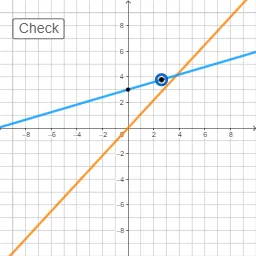
This GeoGebra example demonstrates the construction of parallel lines on a Cartesian plane through random point and line interactions, visually illustrating the properties of parallel lines and angle relationships. Core mathematical concepts include analytic geometry line equations, parallel line theorems, and angle measurement. The construction utilizes GeoGebra commands such as RandomUniform, RandomElement, Line, Intersect, and Angle, combined with dynamic objects to generate and manipulate parallel line networks. It is suitable for high school mathematics, particularly in analytic geometry and parallel line theory units, as well as for dynamic geometry exploration and teaching demonstrations.
GeoGebra Commands & Parameters
RandomUniform(0.1, 0.99) → aRandomElement(l1) → bLine(A, C) → fLine(B, D) → gIntersect(f, g) → EAngle(B, E, A) → α
AI Drawing Prompt Reference
Draw a Cartesian plane with two dynamic parallel lines. Generate one line through a random point, then construct another line parallel to it through another random point. Mark their intersection point and measure the angle formed by that intersection and two points on the lines. The figure should illustrate angle relationships in parallel lines, with all elements adjustable to show analytic geometry properties.
The prompt above was compiled from the original drawing commands and is for reference only.