
Drag-to-Create Parallel Lines: Angle-Driven Construction of a Parallel Grid
Loading the math board and drawing, please wait…
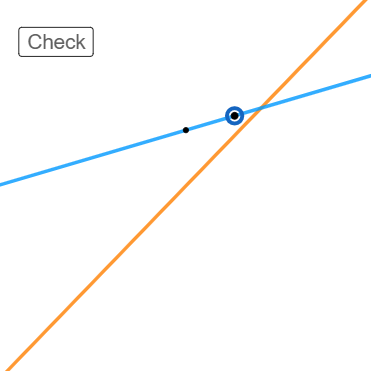
This example lets you drag control points to generate lines in the plane that maintain a fixed angle relationship, producing a dynamic “parallel grid” effect as intersections and directions update in real time. The key mathematics includes line geometry, angle-based parallel line construction/verification, and how geometric configurations remain consistent under continuous motion. Construction highlights: RandomUniform and RandomElement create starting points; Line builds the required lines; Intersect computes intersection points to place subsequent objects; Angle measures and enforces the driving angle condition; interactive elements (e.g., a draggable move object) and view/range parameters (initXMin/initXMax/initYMin/initYMax, viewXMin/viewXMax/viewYMin/viewYMax) update the configuration. Objects involved include A, B, a, l1, b, C, f, move, D, g, E, c, d, along with UI controls such as buttons/checkboxes and displayed angle/text items. Suitable for middle school to early university geometry lessons and interactive dynamic-geometry exploration.
GeoGebra Commands & Parameters
RandomUniform(0.1, 0.99) → aRandomElement(l1) → bLine(A, C) → fLine(B, D) → gIntersect(f, g) → EAngle(B, E, A) → α
AI Drawing Prompt Reference
Create an interactive geometry setup in the plane: choose one main point A and define a first line from two chosen points, then define a second line from another two chosen points so the two lines intersect at a point E. Measure the angle at E formed by rays toward the two line-determining points and label this measured angle as α. Make the configuration respond to dragging a control point so that the angle-driven relationship is maintained, updating the lines and their intersection in real time, producing a dynamic parallel-grid-like effect.
The prompt above was compiled from the original drawing commands and is for reference only.