
Dynamic Geometry Starter: Polygons, Orthogonal Lines, and Angles
Loading the math board and drawing, please wait…
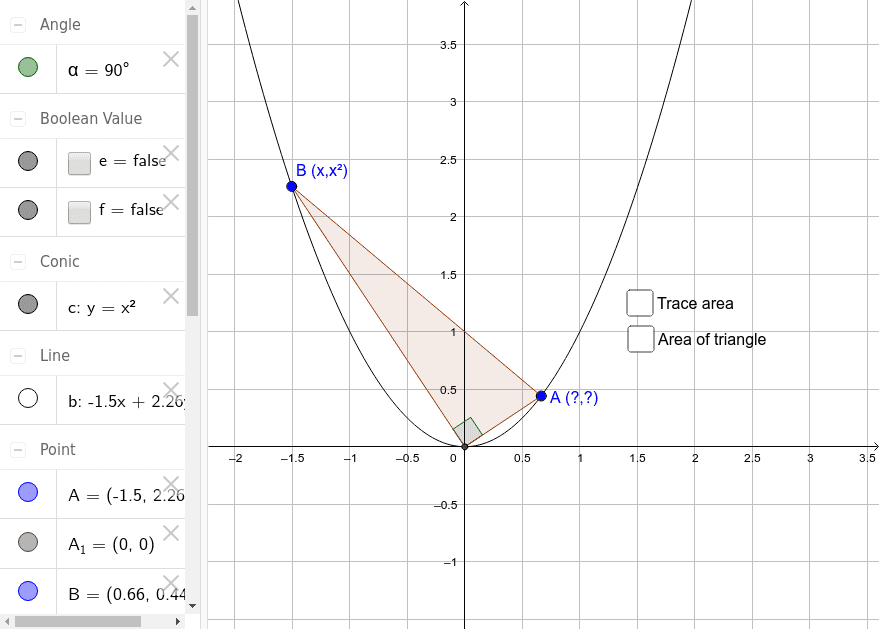
This GeoGebra example serves as a starting point for whole-class discussion and dynamic geometry exploration. It demonstrates the construction of polygons, perpendicular (orthogonal) lines, segments, and angle measurements using core GeoGebra commands. The file involves mathematical concepts such as polygon area, slope and difference, linear relationships, orthogonality, and point-in-polygon containment. Construction highlights include the Polygon command to create poly1, PointIn to test whether a point lies inside the polygon, OrthogonalLine to build perpendicular lines, Segment to draw line segments, Intersect to locate intersection point X, and Angle to mark angle α, supported by points A, B, A₁, lines a, b, d, e, f, circle c, and text label text1. Suitable for secondary school mathematics (middle and high school), this resource is ideal for teachers introducing geometric construction, facilitating group inquiry, or adapting as a template for interactive lessons on area, slope, and coordinate geometry.
GeoGebra Commands & Parameters
Intersect(c, xAxis, 1) → A_1Point(c) → ASegment(A, A_1) → aOrthogonalLine(A_1, a) → bIntersect(c, b, 2) → BSegment(A, B) → dPolygon(A, B, A_1) → poly1, a_1, b_1, c_1PointIn(poly1) → Pointpoly1Angle(A, A_1, B) → α