
Dynamic Geometry Proof
Loading the math board and drawing, please wait…
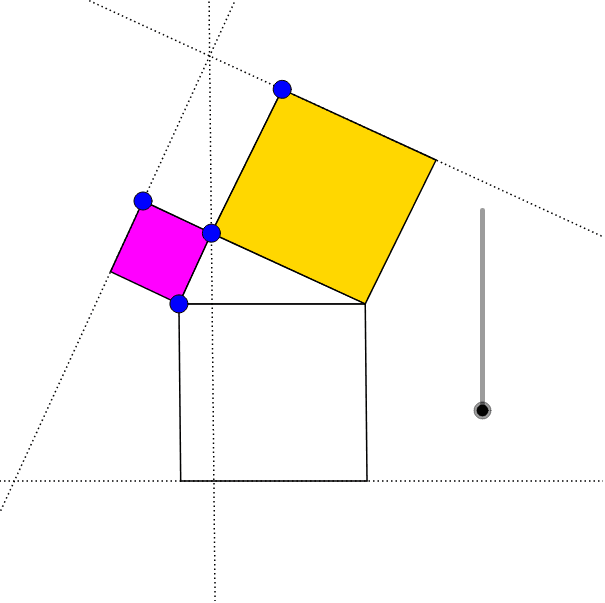
This example demonstrates the properties of a parallelogram by dragging points and a slider. Core math concepts include parallelogram, Pythagorean theorem, normal distribution, probability, logarithmic functions, centroid, expected value, etc. Construction highlights the use of GeoGebra commands/objects like Point, Intersect, CircleArc, Segment, Line, Vector, Translate, Polygon, Dilate. Suitable for high school and above students to explore geometric properties and probability statistics.
GeoGebra Commands & Parameters
Point(xAxis) → AIntersect(xAxis, yAxis) → BCircleArc(B, D, A) → cPoint(c) → ESegment(A, E) → aSegment(E, F) → bSegment(C, E) → dSegment(E, G) → eLine(F, a) → fLine(G, d) → gIntersect(f, g) → HSegment(A, C) → hLine(H, E) → iIntersect(i, h) → ILine(A, i) → jLine(C, i) → kVector(H, E) → uTranslate(I, u) → I'Line(I', h) → lIntersect(j, l) → JIntersect(k, l) → KVector(E, A) → vVector(E, C) → wTranslate(G, w) → G'Translate(F, v) → F'Polygon(A, E, F, F') → poly1, a_1, e_1, f_1, f'Polygon(A, J, K, C) → poly2, a_2, j_1, k_1, c_1Polygon(E, G, G', C) → poly3, e_2, g_1, g', c_2Dilate(F, If[m < 1, 1 - m, 0], H) → F'_1Dilate(G, If[m < 1, 1 - m, 0], H) → G'_1Translate(F'_1, v) → LTranslate(G'_1, w) → MPolygon(A, L, F'_1, E) → poly4, a_3, l_1, f'_1, e_3Polygon(E, G'_1, M, C) → poly5, e_4, g'_1, m_1, c_3Vector(E, I) → nTranslate(H, n) → H'Dilate(H, If[1 ≤ m < 2, 2 - m, 0], H') → H'_1Vector(L, A) → pTranslate(H'_1, p) → NPolygon(L, H'_1, N, A) → poly6, l_2, h'_1, n_1, a_4Polygon(H'_1, M, C, N) → poly7, h'_2, m_2, c_4, n_2Dilate(I, If[2 ≤ m < 3, 3 - m, 0], I') → I'_1Vector(A, L) → qTranslate(I'_1, q) → OVector(I, A) → rTranslate(O, r) → O'Translate(I'_1, r) → PVector(I, C) → sTranslate(O, s) → O'_1Translate(I'_1, s) → QPolygon(O, O', P, I'_1) → poly8, o, o', p_1, i'_1Polygon(O, O'_1, Q, I'_1) → poly9, o_1, o'_1, q_1, i'_2
AI Drawing Prompt Reference
Draw a dynamic parallelogram demonstrating its properties by dragging points and a slider. Include coordinate axes, intersecting points, circle arcs, line segments, and vectors. Construct a pair of opposite sides, then use vector translation and dilation to create new shapes, forming nested polygons to illustrate geometric properties and probability statistics.
The prompt above was compiled from the original drawing commands and is for reference only.