
Dynamic Exploration of Cone Cross Sections
Loading the math board and drawing, please wait…
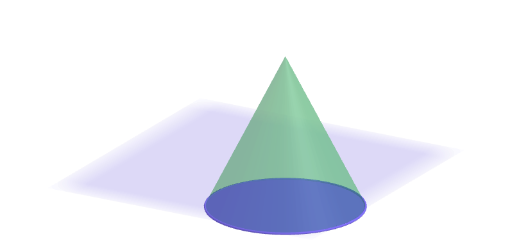
This GeoGebra resource dynamically demonstrates how slicing a cone with a plane produces various cross-sectional shapes, including circles, ellipses, parabolas, and hyperbolas. It explores the mathematical relationship between the cutting plane's angle and position and the resulting 2D cross section. Core concepts include three-dimensional geometry, cross-sectional analysis, and conic sections. The construction utilizes GeoGebra commands such as Cone, IntersectPath, and Plane, along with interactive objects like sliders, points, and lines to enable real-time manipulation and visualization. Designed for grades 6–8, it supports students in describing cross-sectional views of solid figures and deepening their understanding of spatial geometry.
GeoGebra Commands & Parameters
Cone(eq2, 5) → cono, d, bPointIn(b) → BPointIn(b) → CPointIn(b) → ASelectedIndex(ddMenu) → isIntersectPath(pBase, cono) → sezOrIntersectPath(If[pSli < 0, pPar1, pPar2], cono) → sezOrthPlane(A, B, C) → pExploreIntersectPath(pExplore, cono) → sezExpl
AI Drawing Prompt Reference
Draw a cone and show how slicing it with planes at various angles and positions produces different cross-sections like circles, ellipses, parabolas, and hyperbolas. Use sliders to control the angle and position of the cutting plane, and dynamically display the resulting cross-sectional shapes to explore the relationship between 3D geometry and cross-sectional analysis.
The prompt above was compiled from the original drawing commands and is for reference only.