
Dynamic Cone and Pyramid
Loading the math board and drawing, please wait…
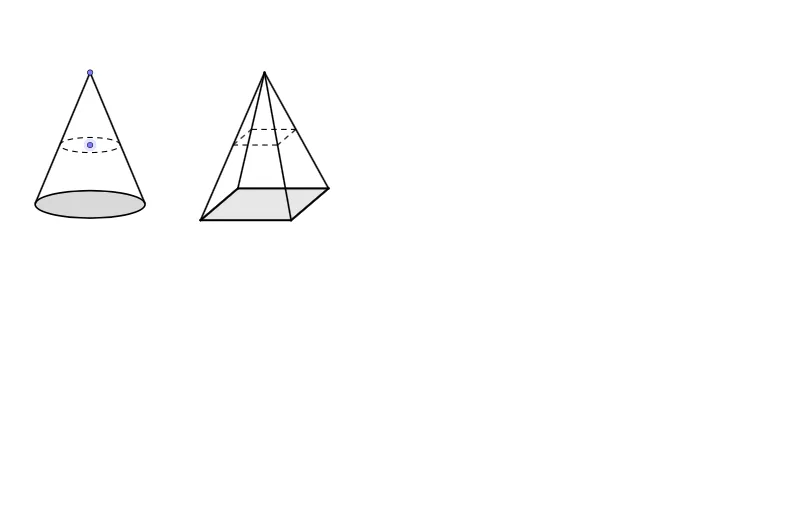
This example demonstrates the dynamic construction of a cone and a pyramid. Key mathematical concepts include cones, pyramids, vectors, and coordinate geometry. Using GeoGebra commands such as Line, OrthogonalLine, Point, Tangent, Intersect, etc., the intersection points, ellipses, and vectors are dynamically displayed. Suitable for high school mathematics education, particularly in solid and coordinate geometry.
GeoGebra Commands & Parameters
Line(B, A) → fOrthogonalLine(E, f) → gPoint(g) → FTangent(F, c) → h, iIntersect(c, h, 1) → CIntersect(c, i, 1) → DSegment(F, C) → jSegment(F, D) → kLine(F, f) → lSegment(F, E) → rPoint(r) → KOrthogonalLine(K, r) → tSegment(K, E) → eLine(G, H) → mLine(I, G) → nLine(H, n) → pLine(I, m) → qCircle(G, I) → dIntersect(d, n, 2) → JLine(J, m) → sIntersect(p, q) → LIntersect(p, s) → MLineBisector(H, G) → f_1Intersect(m, f_1) → NIntersect(l, f_1) → OSegment(I, J) → g_1Segment(J, M) → h_1Segment(M, L) → i_1Segment(L, I) → j_1Segment(I, O) → k_1Segment(J, O) → l_1Segment(M, O) → m_1Segment(L, O) → n_1Polygon(I, J, M, L) → poly1, i_2, j_2, m_2, l_2Segment(O, N) → p_1Intersect(t, p_1) → PIntersect(t, k_1) → QIntersect(t, n_1) → RLine(Q, g_1) → q_1Line(R, i_1) → r_1Intersect(q_1, l_1) → SIntersect(r_1, m_1) → TSegment(S, T) → s_1Segment(T, R) → t_1Segment(R, Q) → a_1Segment(Q, S) → b_1
AI Drawing Prompt Reference
Draw a dynamic solid-geometry style figure in the plane. Start with a base line determined by two given points, then construct a line perpendicular to it through a chosen point. Using that point as the main reference, build tangency-related directions and create a circle from an appropriate center point pair. Intersect the circle with two tangent lines to obtain two key points, then connect them to the reference point with segments to form the cone-like side edges. Next, construct additional lines from intersections to determine four vertices and connect them into a polygonal face. Use a vertical auxiliary line to intersect several constructed segments, and draw the connecting segments between these intersection points so the final figure shows coupled cone and pyramid-like geometry.
The prompt above was compiled from the original drawing commands and is for reference only.