
Dynamic 2D Vectors and Slope Demo
Loading the math board and drawing, please wait…
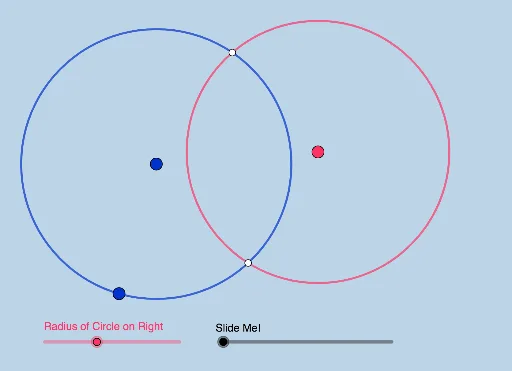
This example dynamically illustrates 2D vectors, slopes, and midlines. Key math concepts include vector operations, slope calculation, segment construction, circles, and intersections. Construction involves commands like Circle, PointIn, Distance, Intersect, Line, LineBisector, Dilate, Segment, Vector. Suitable for high school coordinate geometry teaching or geometric construction exploration.
GeoGebra Commands & Parameters
Circle(A, B) → cPointIn(a) → CDistance(A, C) → bDistance(C, c) → dCircle(C, e) → fIntersect(c, f, 1) → DLine(A, D) → gLine(C, D) → hIntersect(f, g, 2) → EIntersect(c, h, 2) → FIntersect(c, f, 2) → GCircle(A, E, F) → kDistance(A, B) → iLineBisector(C, A) → jLineBisector(F, E) → lIntersect(j, l) → HDilate(A, If[0 < m ≤ 1, 1 - m, 0], E) → A'Segment(A, A') → nDilate(E, If[1 < m ≤ 2, 2 - m, 0], D) → E'Segment(E, E') → pDilate(C, If[2 < m ≤ 3, 3 - m, 0], F) → C'Segment(C, C') → qDilate(F, If[3 < m ≤ 4, 4 - m, 0], D) → F'Segment(F, F') → rDilate(H, If[5 < m ≤ 6, 6 - m, 0], A) → H'Vector(H, H') → uCircle(H, H') → s
AI Drawing Prompt Reference
Draw a circle centered at one fixed point passing through another fixed point. Choose a point inside this circle)Skip. Measure its distance to the center and to the circle's circumference. Using these measurements, draw a second circle centered at the interior point, intersecting the first circle. Connect intersection points to the fixed points with lines, and find further intersections. Use these points to construct another circle. Draw perpendicular bisectors of two pairs of points and find their intersection as a center. Then, based on a dynamic parameter, move several points along segments, connecting original and moved positions with segments. Finally, construct a vector from one moved point to another and draw a circle centered at the first moved point with radius equal to that vector.
The prompt above was compiled from the original drawing commands and is for reference only.