
DSE Trigonometry ACT04: Tracing Trigonometric Ratios in a Unit Circle
Loading the math board and drawing, please wait…
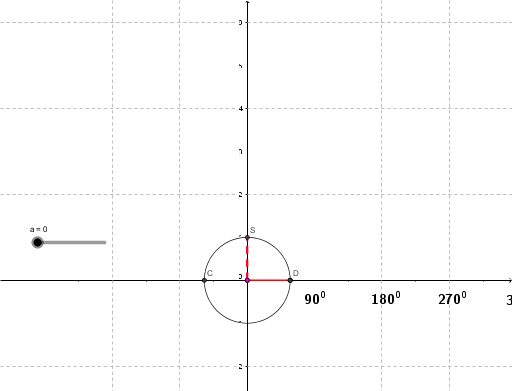
This GeoGebra example dynamically demonstrates the geometric meaning of trigonometric ratios (sine, cosine, tangent) using a unit circle. As the angle changes, the coordinates of the intersection point between the terminal side and the unit circle give the cosine and sine values, while the tangent is represented by the length of a tangent segment. The construction uses commands such as Segment, Polygon, Angle, CurveCartesian, and Intersect to build the circle, radius, angle, and related triangles. A slider controls the angle, enabling real-time tracing of the ratios. This resource is ideal for teaching and reviewing the unit circle approach to trigonometry in the DSE curriculum, helping students visualize how each ratio varies with the angle and understand their interconnections.
GeoGebra Commands & Parameters
Segment(P0, P) → dSegment(Q0, Q) → ePolygon(P0, A, P) → 多邊形1, p, p0, a_1Angle(Q0, A, P) → αCurveCartesian(t, cos(t), t, 0, a) → bCurveCartesian(t, sin(t), t, 0, a) → fIntersect(c, xAxis) → C, DAngle(D, A, P) → βCurveCartesian(t, tan(t), t, 0, a) → gSegment(Q0, S) → h
AI Drawing Prompt Reference
Draw a unit circle with an angle at the origin, intersecting the circle at a point. The x and y coordinates of this point represent cosine and sine values respectively. Draw a perpendicular line from this point to the x-axis, and the line from the origin to the foot of the perpendicular represents the tangent. Include a slider to control the angle, and show the real-time traced graphs of cosine, sine, and tangent functions as the angle changes.
The prompt above was compiled from the original drawing commands and is for reference only.