
Trigonometric Ratios CAST Demonstration
Loading the math board and drawing, please wait…
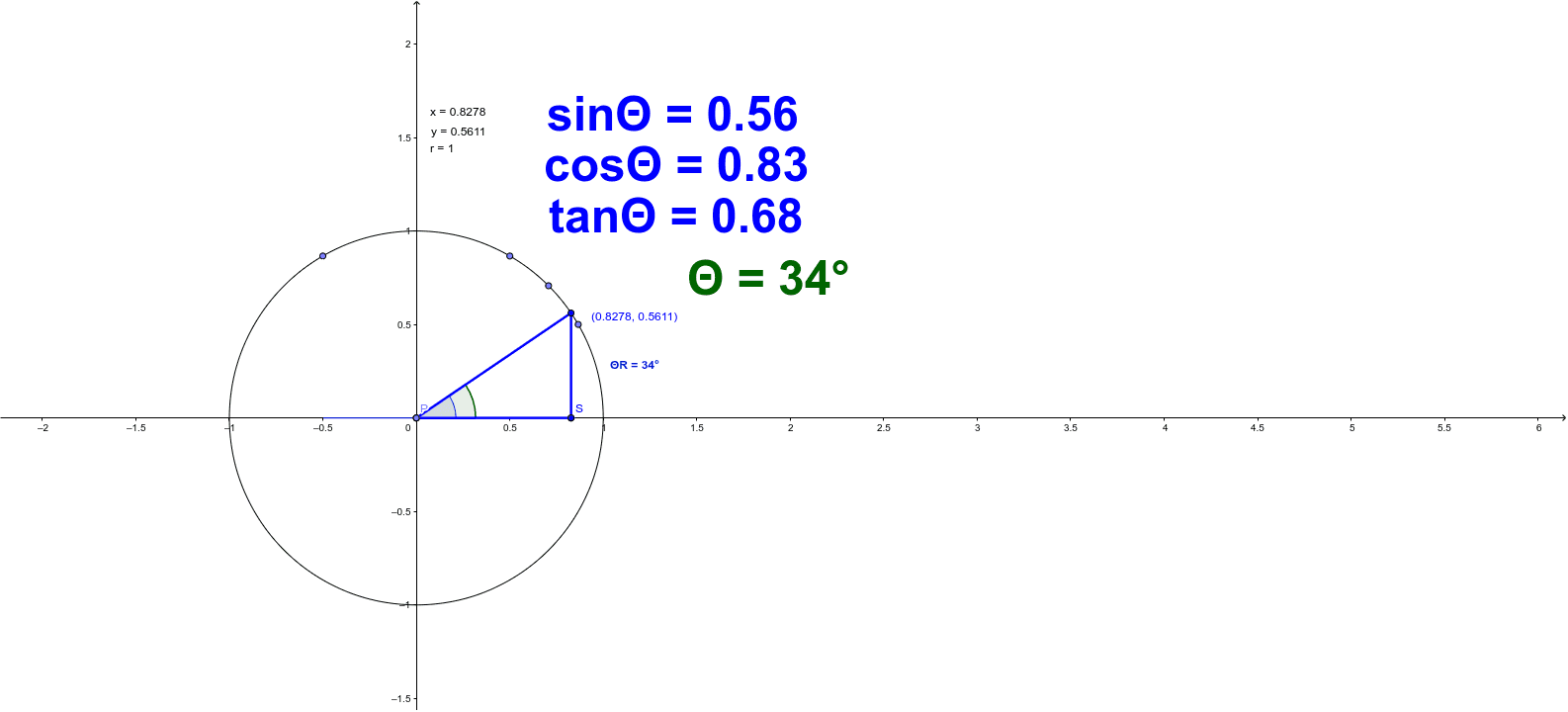
This example demonstrates the application of the CAST rule in trigonometric ratios within any triangle, visually showcasing the relationship between angles and trigonometric values through dynamic interaction; Core math concepts include trigonometric functions (sine, cosine, tangent), angle classification (acute, obtuse), coordinate systems, and unit circles; Construction highlights GeoGebra commands used: Intersect (intersection), Circle (circle), Point (point), DynamicCoordinates (dynamic coordinates), Segment (segment), Angle (angle); Suitable for high school mathematics students and teachers to understand trigonometric properties and geometric significance, enhancing intuitive grasp of the CAST rule.
GeoGebra Commands & Parameters
Intersect(xAxis, yAxis) → ACircle(A, B) → cPoint(c) → DDynamicCoordinates(D, If[Distance[D, I] < z, x(I), If[Distance[D, J] < z, x(J), If[Distance[D, K] < z, x(K), x(D)]]], If[Distance[D, I] < z, y(I), If[Distance[D, J] < z, y(J), If[Distance[D, K] < z, y(K), y(D)]]]) → CSegment(A, C) → aAngle(xAxis, a) → ΘSegment(C, E) → bPoint(xAxis) → GSegment(F, G) → dAngle(a, d) → αPoint(d) → HAngle(d, a) → βAngle(a, xAxis) → γAngle(xAxis, a) → δSegment(H, E) → ePoint(a) → PPoint(c) → QSegment(P, Q) → fPoint(e) → SSegment(P, R) → gSegment(R, Q) → hAngle(xAxis, f) → εAngle(xAxis, f) → ζAngle(f, xAxis) → ηAngle(Q, P, R) → θAngle(R, P, Q) → ι