
Unit Circle Beyond 0 and 2π: Sine and Cosine of Any Angle
Loading the math board and drawing, please wait…
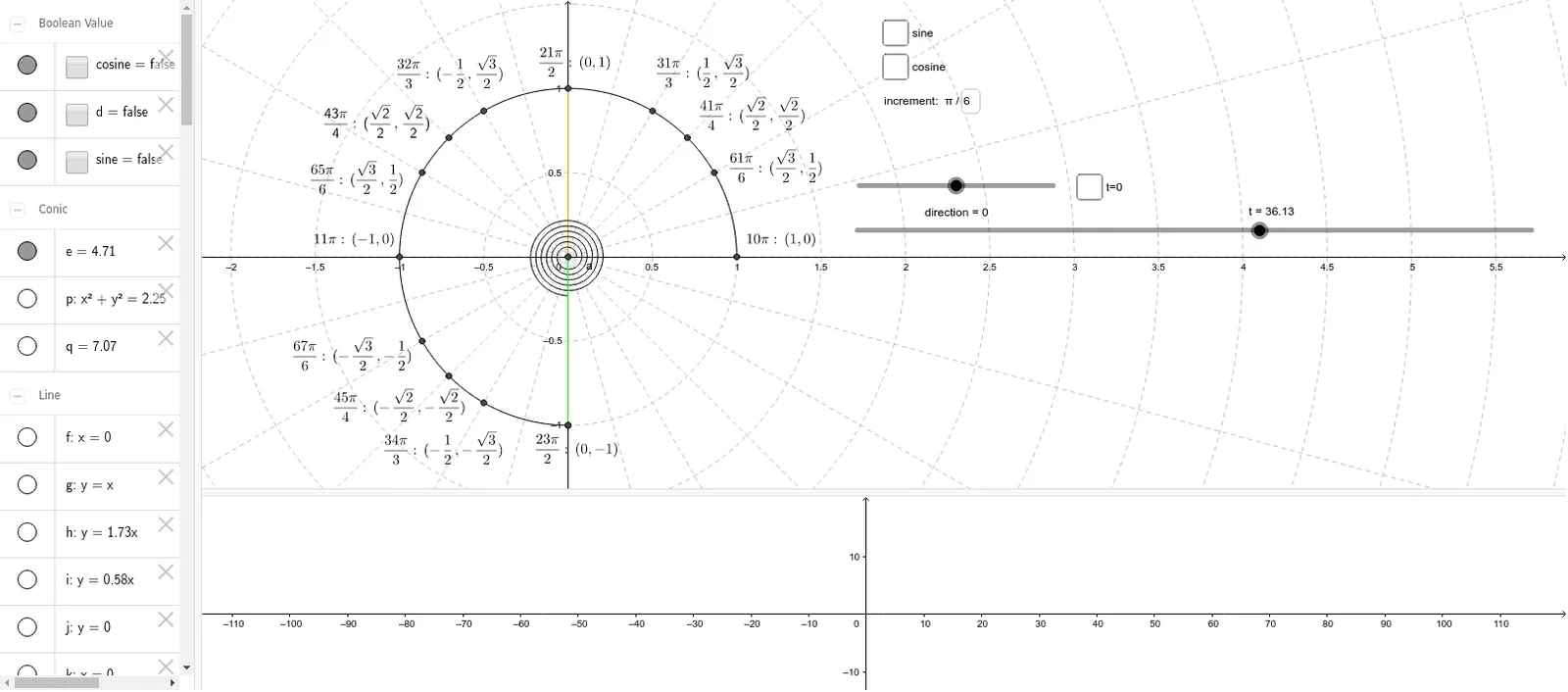
① This example demonstrates the sine and cosine values for any given angle, including those beyond the standard 0 to 2π range, using a dynamic unit circle visualization. ② Core mathematical concepts include the unit circle, trigonometric functions for arbitrary angles, sine and cosine definitions, angle periodicity, and related identities. ③ Construction highlights: The unit circle is drawn using the CurveCartesian command; Intersect and Point locate the terminal side's intersection with the circle; CircleArc, OrthogonalLine, and Polygon construct the angle arc, perpendiculars, and reference triangles; If and Textfield enable dynamic input and conditional display; a slider (increment) controls angle variation. ④ Suitable for high school or pre-calculus trigonometry lessons, ideal for teachers demonstrating the geometric meaning of trigonometric values for any angle and reinforcing the concept of periodicity.
GeoGebra Commands & Parameters
CurveCartesian(cos(a), sin(a), a, 0, 6.283185307179586) → cCurveCartesian(((1 / 20 + a / 200) * cos(a)), ((-(1 / 20 + a / 200)) * sin(a)), a, 0, u) → bIntersect(xAxis, yAxis) → DPoint(c) → ECircleArc(D, E, C) → eOrthogonalLine(C, xAxis) → fIntersect(f, xAxis) → FPolygon(C, D, F) → poly1, f_1, c_1, d_1If(π / 2 < e < (2 * π), Polygon[D, (abs(x(C)), abs(y(C))), (abs(x(F)), abs(y(F)))]) → poly2Textfield(w) → incrementIntersect(e, i, 2) → GIntersect(e, g, 2) → HIntersect(e, h, 2) → IIntersect(e, k, 1) → JIntersect(e, m, 1) → KIntersect(e, l, 1) → LIntersect(e, n, 1) → MIntersect(e, j, 1) → NIntersect(e, i, 1) → OIntersect(e, g, 1) → PIntersect(e, h, 1) → QIntersect(e, k, 2) → RIntersect(e, m, 2) → SIntersect(e, l, 2) → TIntersect(e, n, 2) → UIntersect(e, j, 2) → VCurveCartesian(((1 / 20 + a / 200) * cos(a)), ((1 / 20 + a / 200) * sin(a)), a, 0, t) → aCircleArc(D, A_1, Z) → qIntersect(q, l, 1) → WIntersect(q, m, 1) → B_1Intersect(q, n, 1) → C_1Intersect(q, j, 1) → D_1Intersect(q, i, 1) → E_1Intersect(q, g, 1) → F_1Intersect(q, h, 1) → G_1
AI Drawing Prompt Reference
Draw a dynamic unit circle centered at the origin with radius 1. Place a movable point on the circle corresponding to any angle, including angles beyond 360°. Draw a ray from the center to this point, and display the sine and cosine values for that angle. Use a spiral curve starting from the origin that expands outward as the angle increases, representing continuous angle variation. Inside the circle, construct a reference triangle with legs parallel to the axes, and show the arc corresponding to the angle. Add a slider to control the angle and display its current value. When the angle exceeds 90°, draw a dashed reference triangle to emphasize periodicity and symmetry.
The prompt above was compiled from the original drawing commands and is for reference only.